
Requests coming from everywhere
A call from the front desk, a sticky note, a message from a colleague: requests cross paths, and some get lost.
Maintenance Technician
Work requests arrive on your phone with the area, the equipment and a photo. You take them over, comment and close them on the spot: everything is tracked, with nothing to re-enter.
What slows you down
A call from the front desk, a sticky note, a message from a colleague: requests cross paths, and some get lost.
A vague report with no room number or photo: you often have to go and look before coming back with the right part.
Fire extinguishers, legionella, smoke extraction: due dates are tracked on a paper schedule, and one can easily be missed.
What was done, when, with which part: at the end of the day, everything has to be copied into a logbook or a spreadsheet.
What you gain
A push notification for every new request at your property. Area, sub-area, equipment, photo: you know where to go and what to bring.
Explore the module Corrective maintenanceYou assign the request to yourself, comment, put it on hold if a part is missing, then close it. Response and resolution times are calculated for you.
Explore the module Preventive maintenanceInspections due within the month and overdue ones appear on your home page. Once the report is uploaded, the next due date is recalculated.
Explore the module Preventive maintenanceInstallation year, physical condition, declared replacement: your site's inventory stays current, and head office can plan renewals ahead.
Explore the module EnergyFrom the 10th of each month, a task reminds you which meters to read. You enter the readings: consumption is calculated automatically.
Explore the moduleA day with GET17
Your phone buzzes: “2nd floor - # 214 · Faucet: leak under the sink”. The housekeeper has just reported it, photo included.
You tap to assign it to yourself: the request moves to In progress, and your colleagues know it is handled. No named assignment: whoever is available first takes it.
Seal replaced, comment added from the room, request closed: the timings are recorded. If the leak comes back, the request can be reopened.
On your home page, a task flags an inspection due this month. After the contractor's visit, you upload the report: the line turns green and the next due date is calculated.
Two findings from the last report have been fixed: you mark them as resolved, and they move to resolved findings with their resolution date.
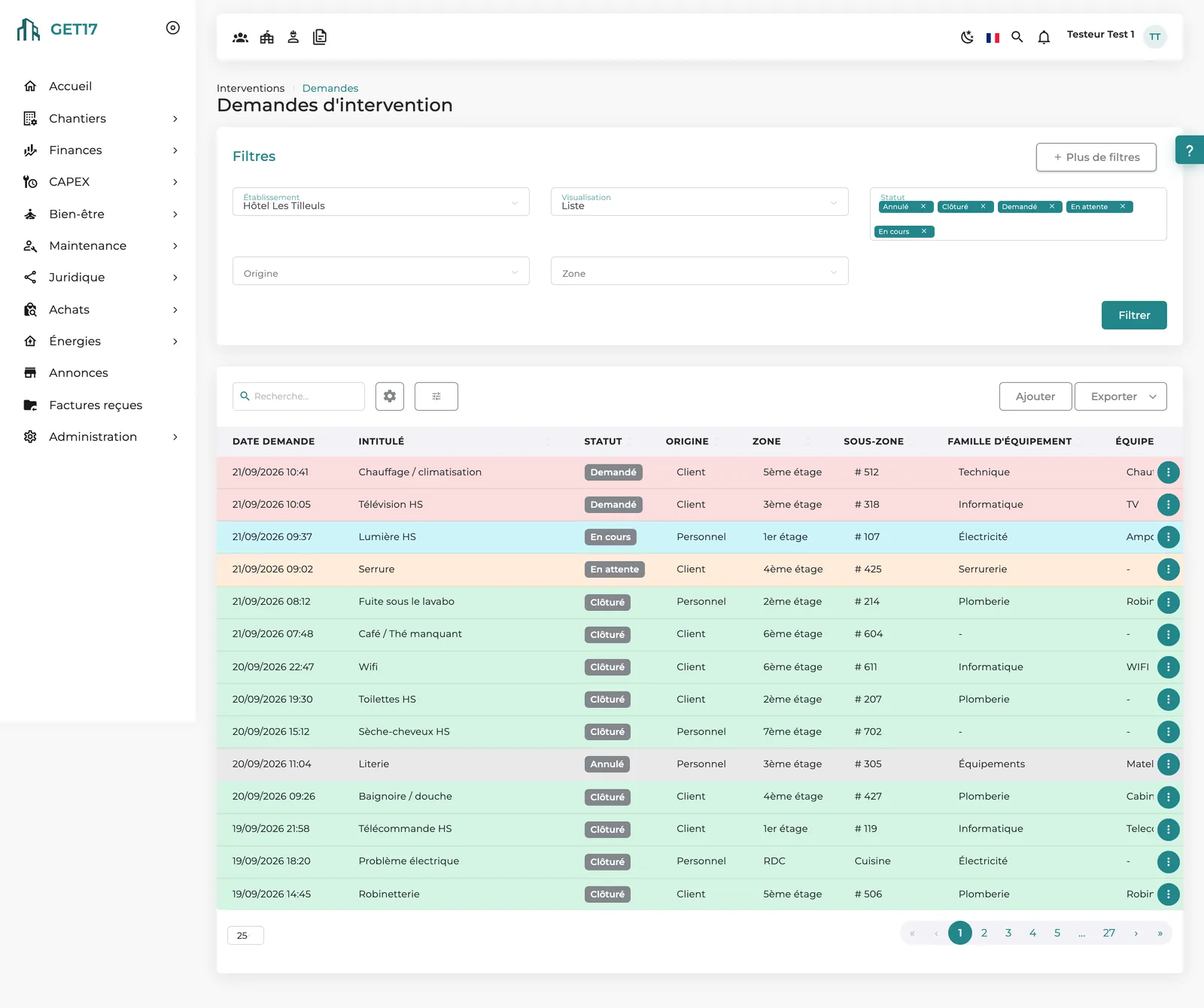
Your dashboard
Requested, In progress, On hold, Closed: each row is color-coded by status, with origin, area, sub-area and equipment family.
Frequently asked questions
Yes. A request created offline is kept on the phone, then synced when you are back online.
No. The whole technical team designated for the property is notified; the first available technician takes the request over.
The GET17 app is available on iOS and Android. The website remains accessible from any browser.
No: they appear as tasks on your home page, with a direct link to the inspection concerned.
Discover the GET17 app: report, take over and close work requests, straight from your phone.