
Governance
Draft audits are visible to authorized profiles only; content is locked once distributed, and every resolution is dated.
Module
Build your group's audit framework, inspect your properties on mobile, even without a signal, and distribute the PDF report in one click. Every recommendation is then tracked until it is resolved, property by property.
The problem
Features
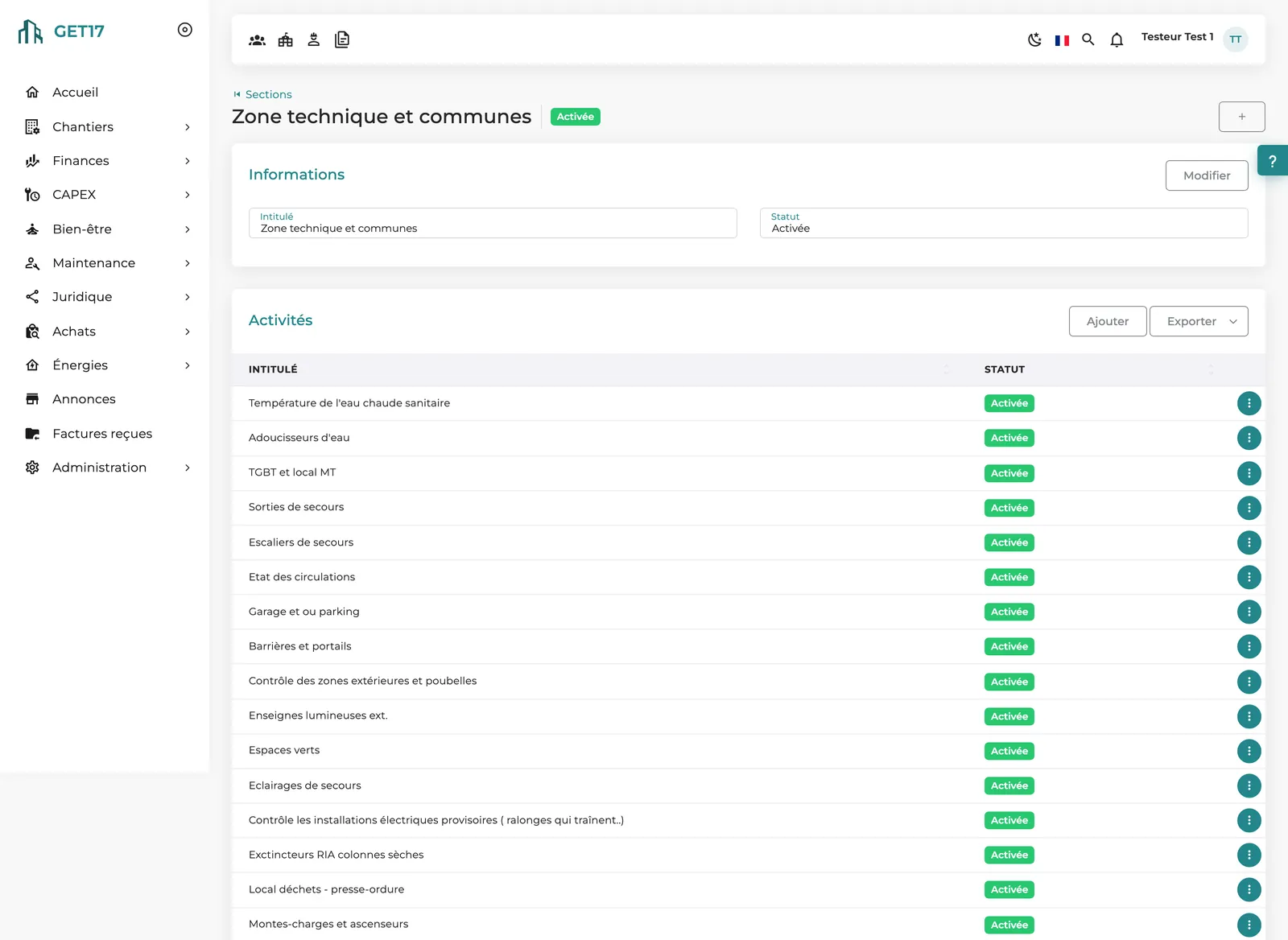
Sections and activities built your way: editable labels, items you can switch on or off, and an exportable framework. Audits become comparable across sites.
A full audit runs through the entire framework; a simplified audit lets the auditor pick the activities, for a targeted check on one area or topic.
Download the audit to your phone, check every activity even without a signal, then sync your entries once you're back online.
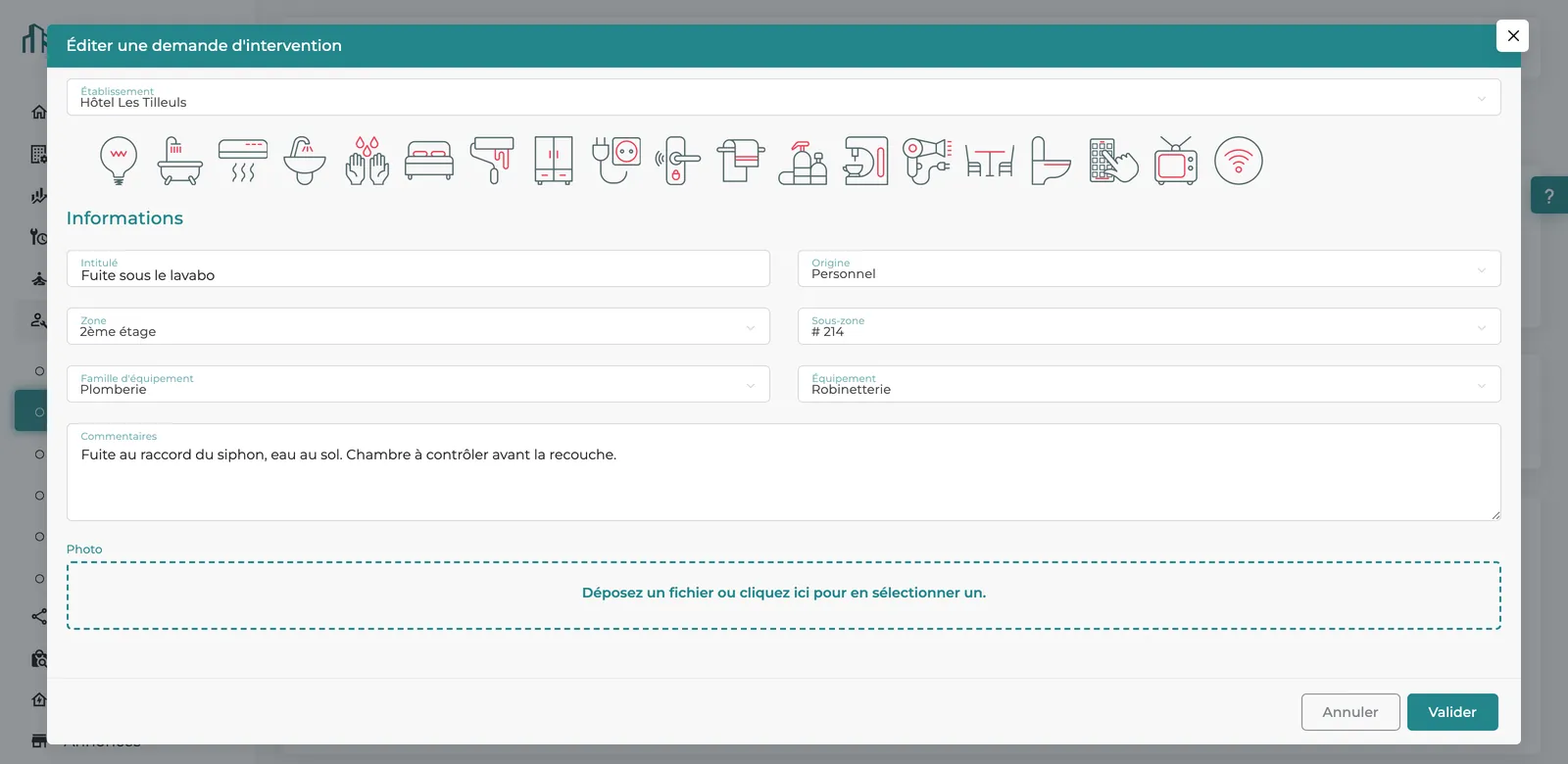
Each recommendation holds a title, due date, guest impact, comments, files, photos and audio recordings captured on site.
Voice notes can be transcribed and summarized by AI into the recommendation's comment field, through a processing run launched on demand.
“Close and distribute” generates the report, locks the findings and emails it to the property's management, the regional operations director and audit follow-up profiles.
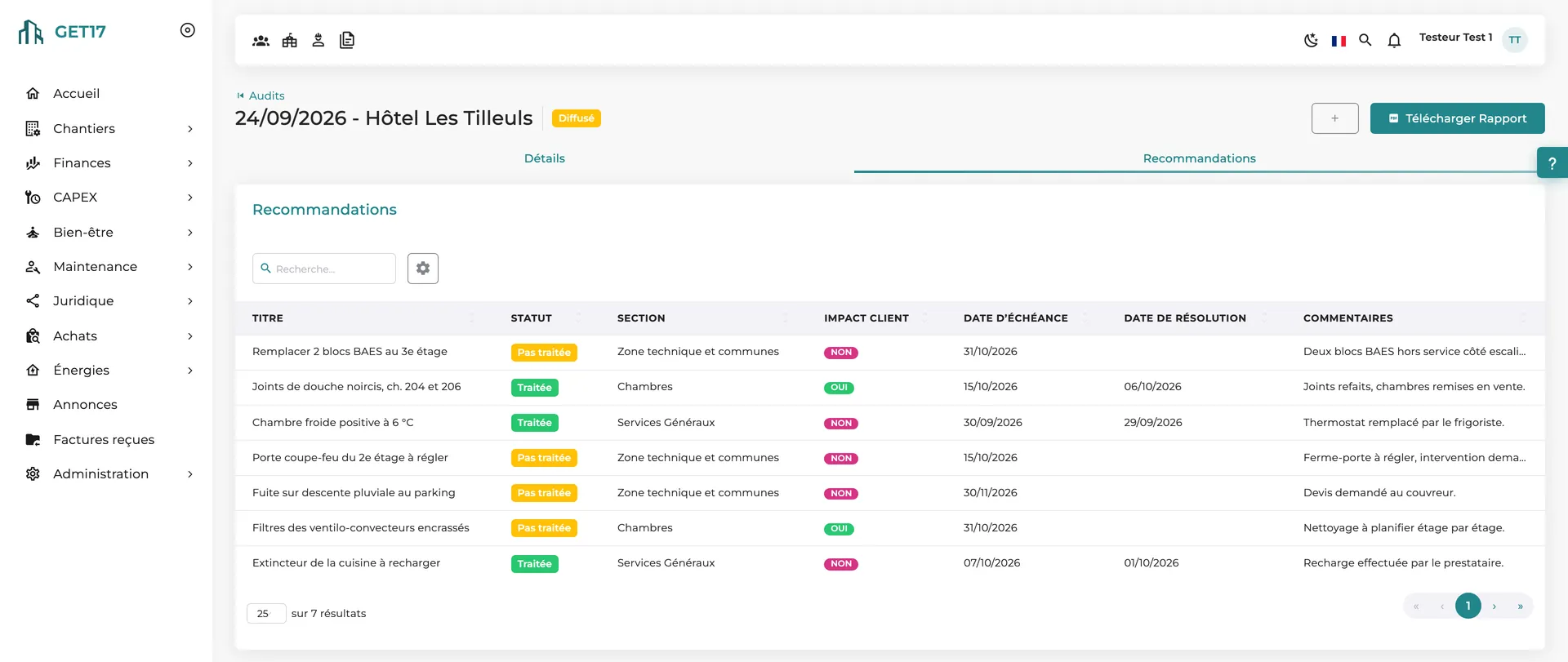
After distribution, each recommendation is marked as resolved with its resolution date, and the audit's open and resolved counters update.
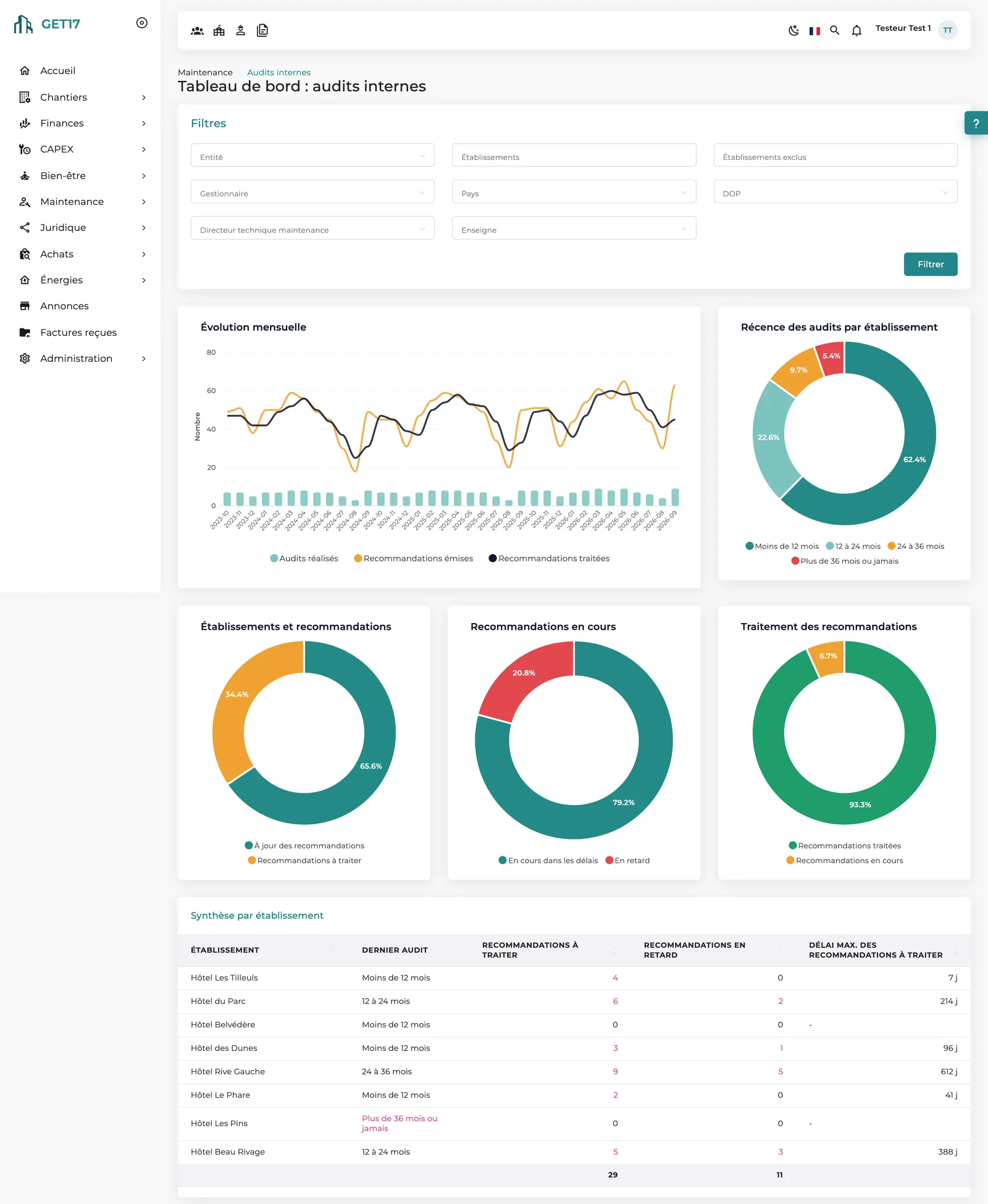
Monthly trends, audit recency, overdue recommendations, a summary per property, and seven analysis views: sections, activities, auditors, companies and more.
Upload free-form reports from technical site visits and generate, on demand, a PDF condition report or a full summary of any property.
The video
No voice-over; on-screen text in French.
How it works
The group builds its framework: sections, activities and labels tailored to its properties.
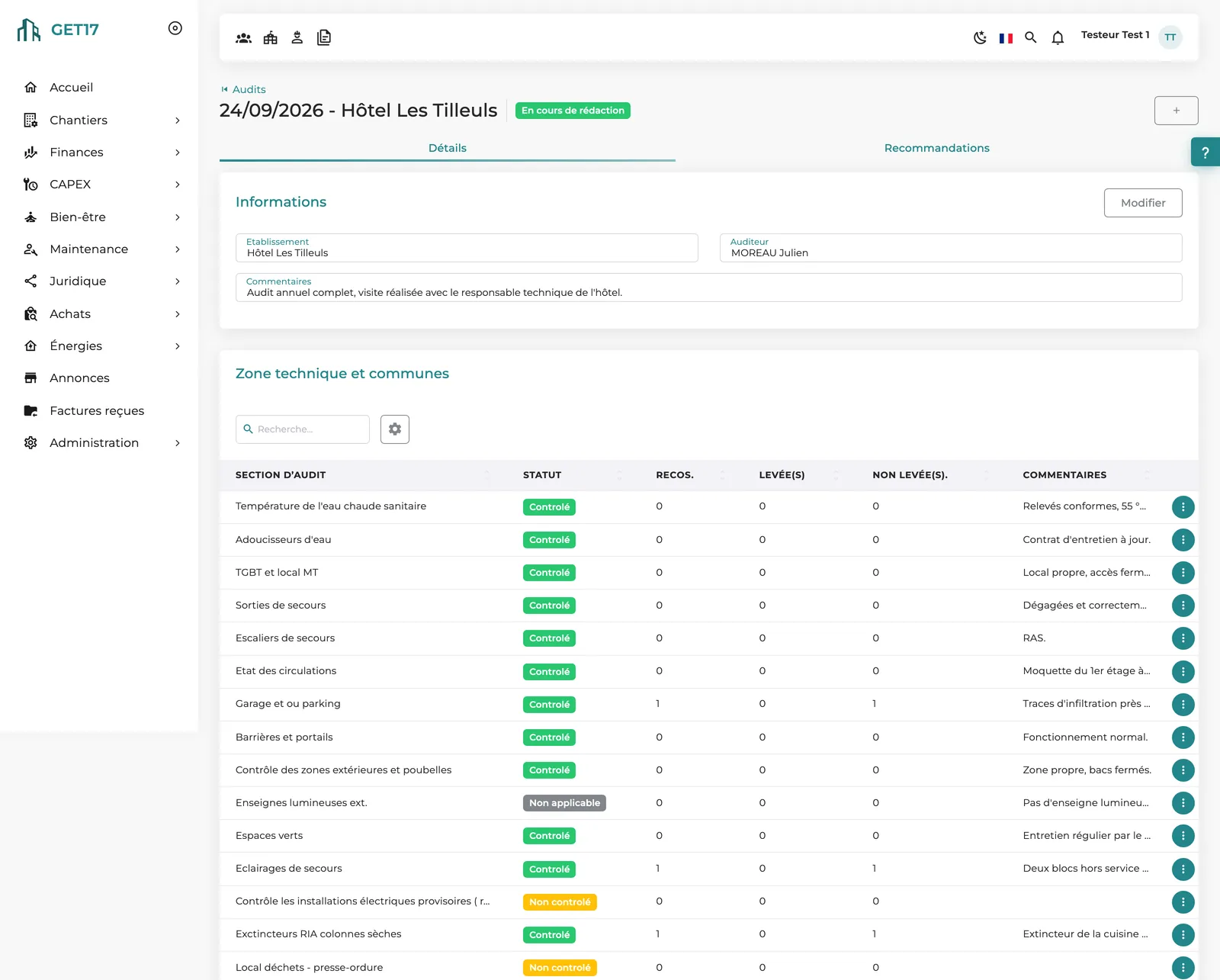
The auditor opens the audit on a phone and marks each activity as checked, not checked or not applicable, even offline.
Photos, a voice note, a due date, guest impact: the recommendation is recorded on the spot, then synced.
One click generates the PDF report and sends it to the right people; the audit moves to Distributed.
The property works through its recommendations one by one; overdue ones show up as tasks on the home page.
Head office tracks audit recency and open or overdue recommendations, site by site.
On screen
Our approach
GET17 doesn't grade your properties: it captures precise findings and turns them into tracked recommendations. Distribution locks the report but opens the follow-up phase, until the last finding is resolved.
Each activity is checked, not checked or not applicable, with a comment. The numbers come from recommendations issued, resolved and overdue.
The mobile app works offline, takes photos and records voice notes, so auditors focus on the visit, not on data entry.
Recommendations are resolved after distribution, and “Download Report” produces an up-to-date version of their status at any time.
What makes the difference
Draft audits are visible to authorized profiles only; content is locked once distributed, and every resolution is dated.
A simple mobile app that works offline, with photos and voice notes: the audit happens during the visit, not afterward.
No more reports typed up at night: the PDF compiles findings, photos and recommendations, and goes out by email in one click.
Exportable framework, statistics as charts and exportable tables, PDF reports; for a full audit, the report includes the property's preventive maintenance status.
Filter by entity, country, brand, manager or operations director, in an interface available in 6 languages: one audit approach for every property.
100% web, permissions by profile and by property, hosting of your choice and full control of your data: everyone sees the scope that concerns them.
Frequently asked questions
No. The approach is deliberately qualitative: each activity is checked, not checked or not applicable, with comments and recommendations. Performance is tracked through recommendation counters and statistics.
Yes. The audit is downloaded to the phone while a connection is available; statuses, comments, recommendations, photos and voice notes are then stored on the device and synced once you're back online.
“Close and distribute” emails the PDF report to the person distributing it, the property's general manager, the regional operations director and audit follow-up profiles. The report can be resent later.
They are attached to the recommendation. An AI processing run, launched on demand, can transcribe them and summarize their content in the recommendation's comment.
Yes, that's the whole point: distribution locks the findings and opens the follow-up phase. The audit counters and the dashboard track open, resolved and overdue recommendations.
A site visit report is a free-form document with a self-reported number of findings. An internal audit follows a framework and tracks each recommendation individually until it is resolved.
Bring your current checklist: we'll show you how it becomes a GET17 framework, from the field to the dashboard.