

Regulatory risk under control
Every inspection has its due date, report and findings. Delays show in red, on the dashboard and on site teams' home page.
Module
Define your inspections once, at group level: every property inherits them. GET17 calculates due dates, centralizes reports, tracks findings until they are cleared and projects the renewal of your equipment.
The problem
Features
Inspections, frequencies from monthly to every ten years, regulations and reference documents, defined by country or region: every attached property inherits them.
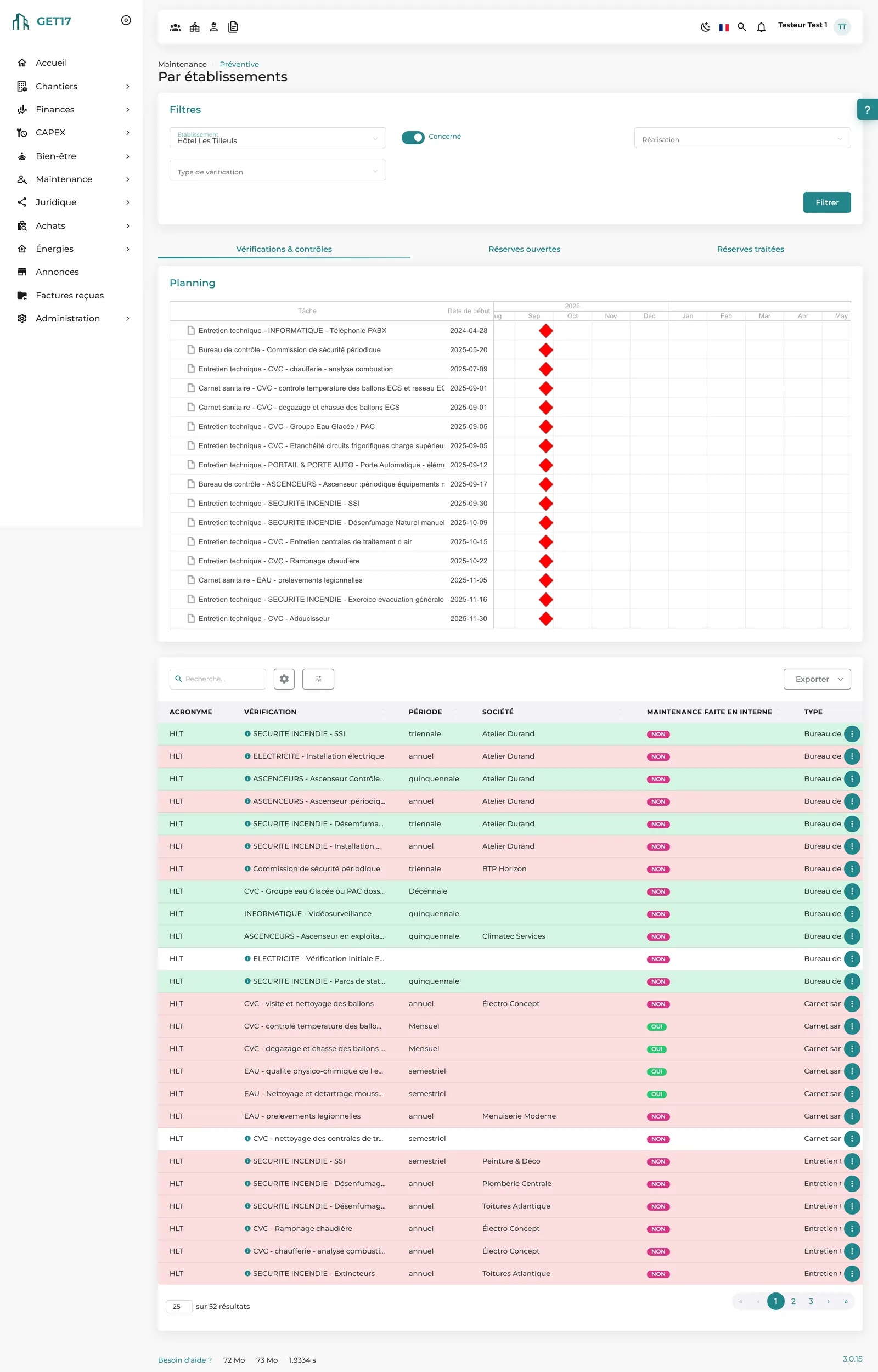
Next due date = last inspection + frequency. Color codes for Valid, Due soon and Overdue; site teams see inspections to do or overdue on their home page.
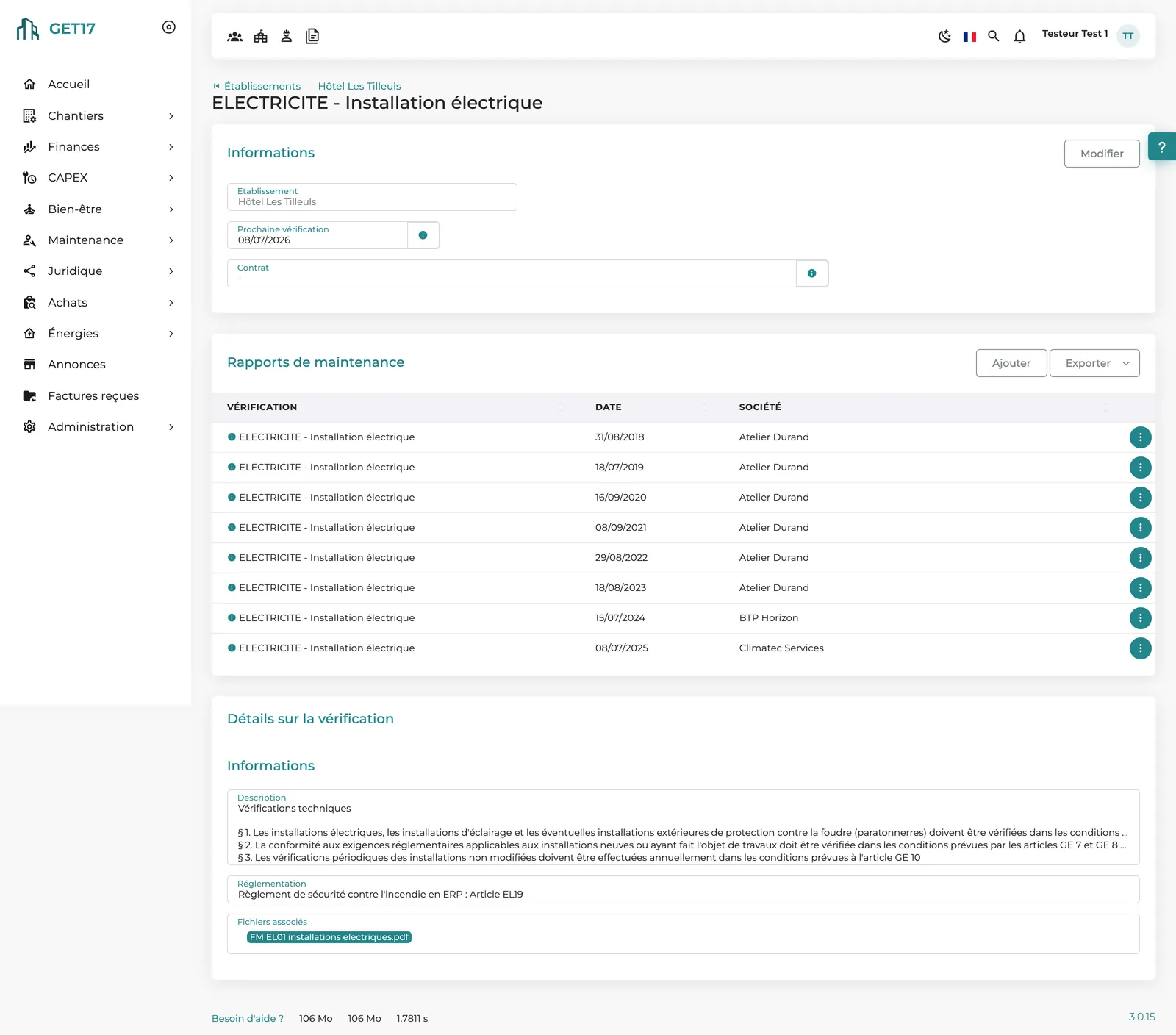
Each attached report becomes evidence of the inspection and resets the due date. Depending on your setup, connectors create inspections from the reports received.
Open and cleared findings by property, dated resolution, age tracked. Depending on your setup, automatic analysis of the report extracts the findings.
Training, water safety logs and in-house technical servicing are tracked like statutory inspections, with their own frequencies and history.
Each inspection is linked to a contract in the supplier database: you know who is due to intervene, and each contract lists its related inspections.
Inventory by property, pre-filled from its activity, with physical condition, photos and Excel import/export; each item shows the inspection reports that concern it.
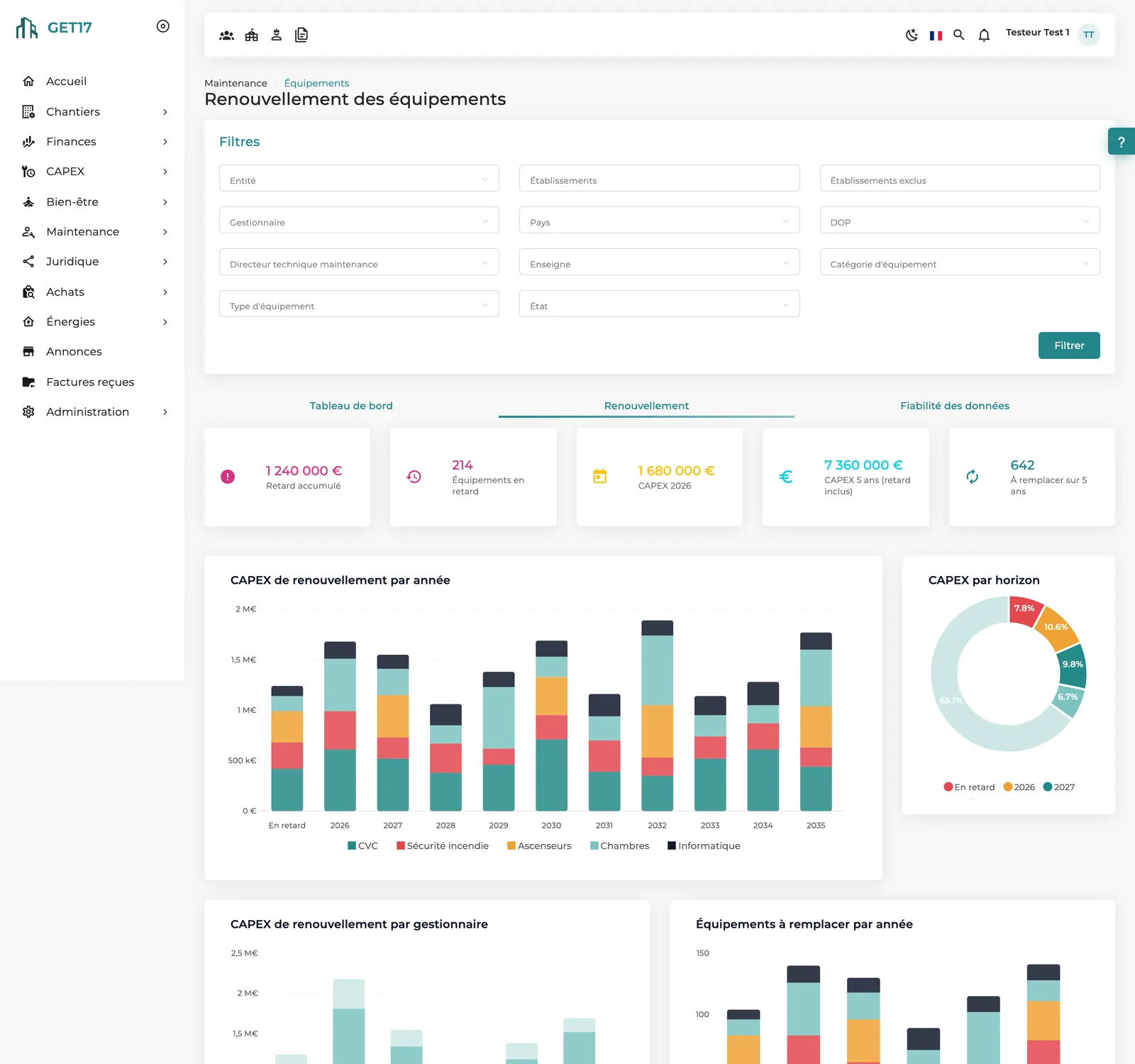
Installation year + service life = renewal year. Accumulated backlog, renewal CAPEX for this year and over five years, amounts to finance over ten years.
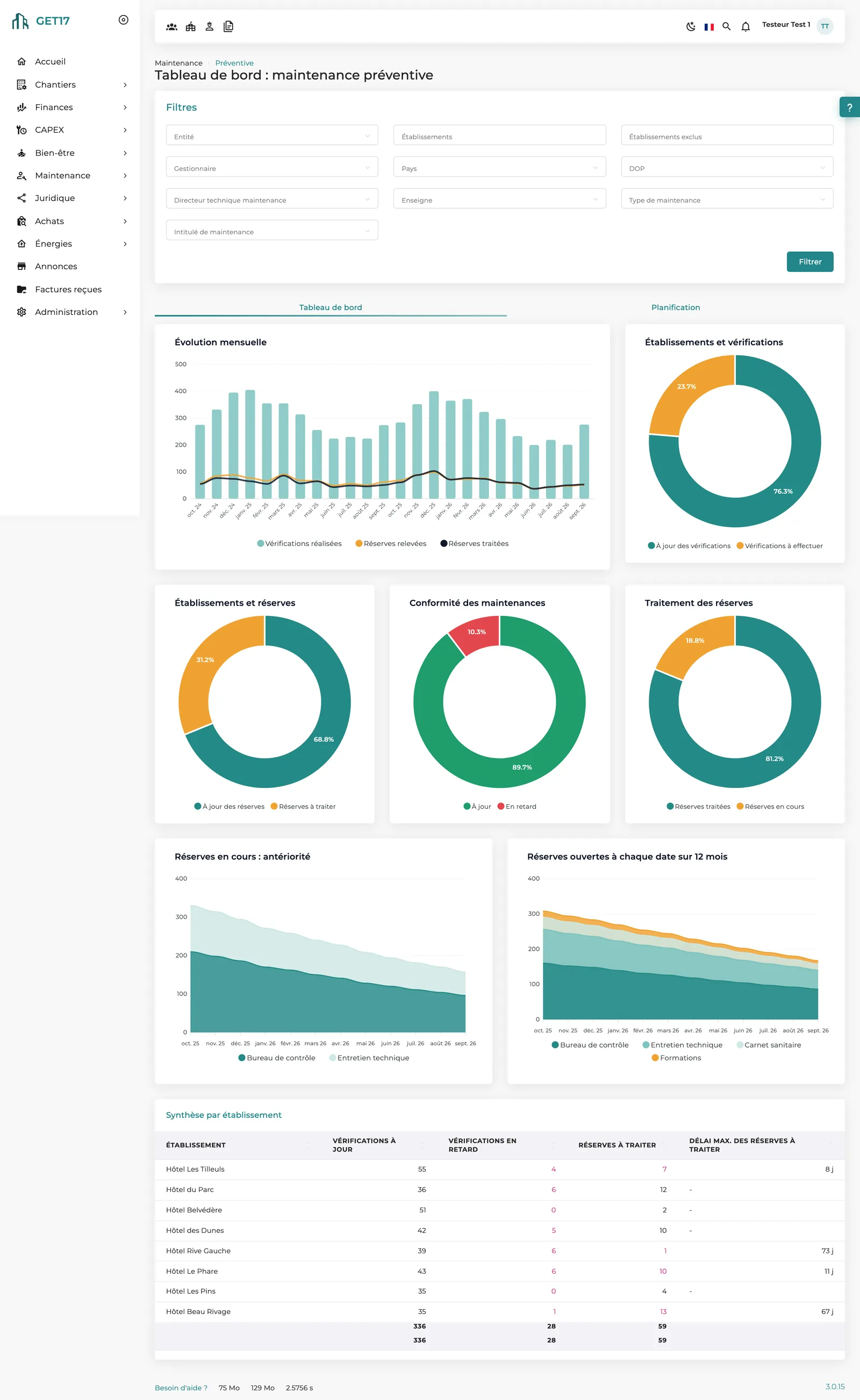
Monthly trends, maintenance compliance, findings resolution and a summary by property, for the scope you choose.
The video
No voice-over; on-screen text in French.
How it works
Maintenance groups, inspection types and frequencies at group level; an irrelevant inspection is marked “Not applicable”.
Due dates are calculated; the planning view projects the next twelve months of inspections by type, technical lead and property.
The report is uploaded, the next due date recalculated, the line turns green again.
Each finding is tracked until it is cleared, with its resolution date.
The inventory projects each item's end of life and its replacement cost.
Compliance and equipment dashboards, statistics by property, contractor or inspection type.
On screen
Our approach
A base of pre-configured groups by country ships with the platform and stays fully editable. You define inspections once: every property attached to its group immediately shows all of them, and its equipment inventory is pre-filled from its activity.
An equipment type is associated with inspection types: the item's record shows its reports, and the renewal plan relies on the same inventory.
Planned renewals feed the treasury forecast. The decision stays human: no replacement triggers a CAPEX request on its own.
Each property tracks its due dates; the technical department sees compliance across the whole portfolio, filtered by country, brand, manager or technical lead.
What makes the difference
Every inspection has its due date, report and findings. Delays show in red, on the dashboard and on site teams' home page.
One view per property brings schedule, inspections and findings together in three tabs; uploading a report is enough to update the due date.
Replacement costs as a flat amount, per room or per m², with overrides by brand or property type, and a dedicated data-quality tab.
Excel exports of inspections, reports, statistics and schedules, inventory import/export, connectors with inspection bodies depending on setup.
Maintenance groups by country to meet each jurisdiction's rules, property-specific frequencies when needed. 100% web, in 6 languages.
Frequently asked questions
No. Inspections are defined in a maintenance group, often by country; every attached property inherits them. An irrelevant inspection is marked “Not applicable”.
The color code turns orange 7 days before the due date and red once it has passed. Site teams also see inspections to do, overdue inspections and findings to process on their home page.
Yes, depending on your setup: connectors with some inspection bodies create inspections from the reports they send, and their observations become findings to process.
Yes. Training, water safety logs and technical servicing are inspection types like any other, with their frequency, due date and history.
No, by design: it costs replacements, places them over time and feeds the treasury forecast. The decision to replace or extend a piece of equipment remains yours.
It is pre-filled from the property's activity. You remove what doesn't exist, fill in installation years and conditions, or use the Excel export/import.
Other modules
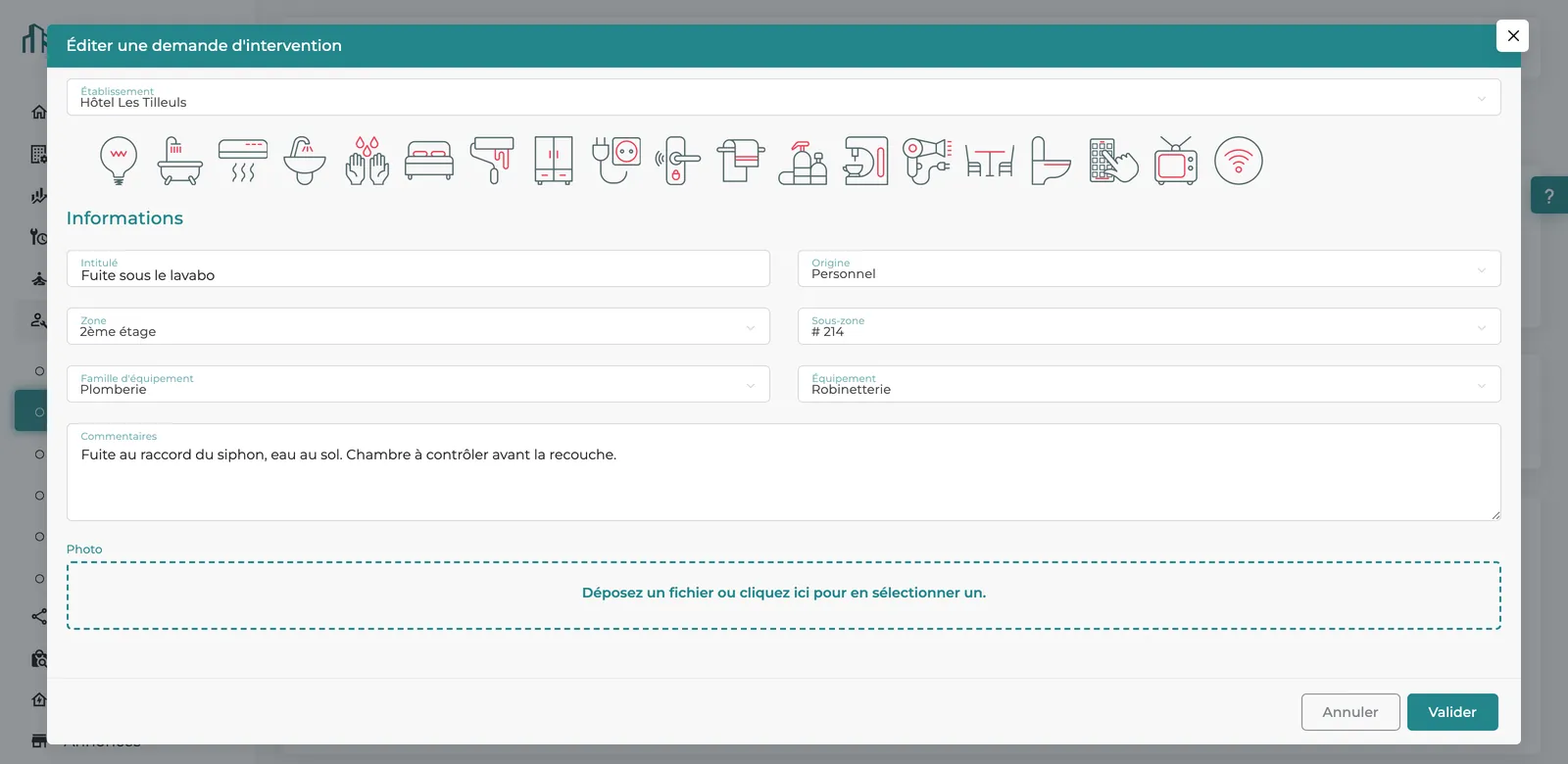
Reported from a phone, handled, resolved and logged: every breakdown counts.
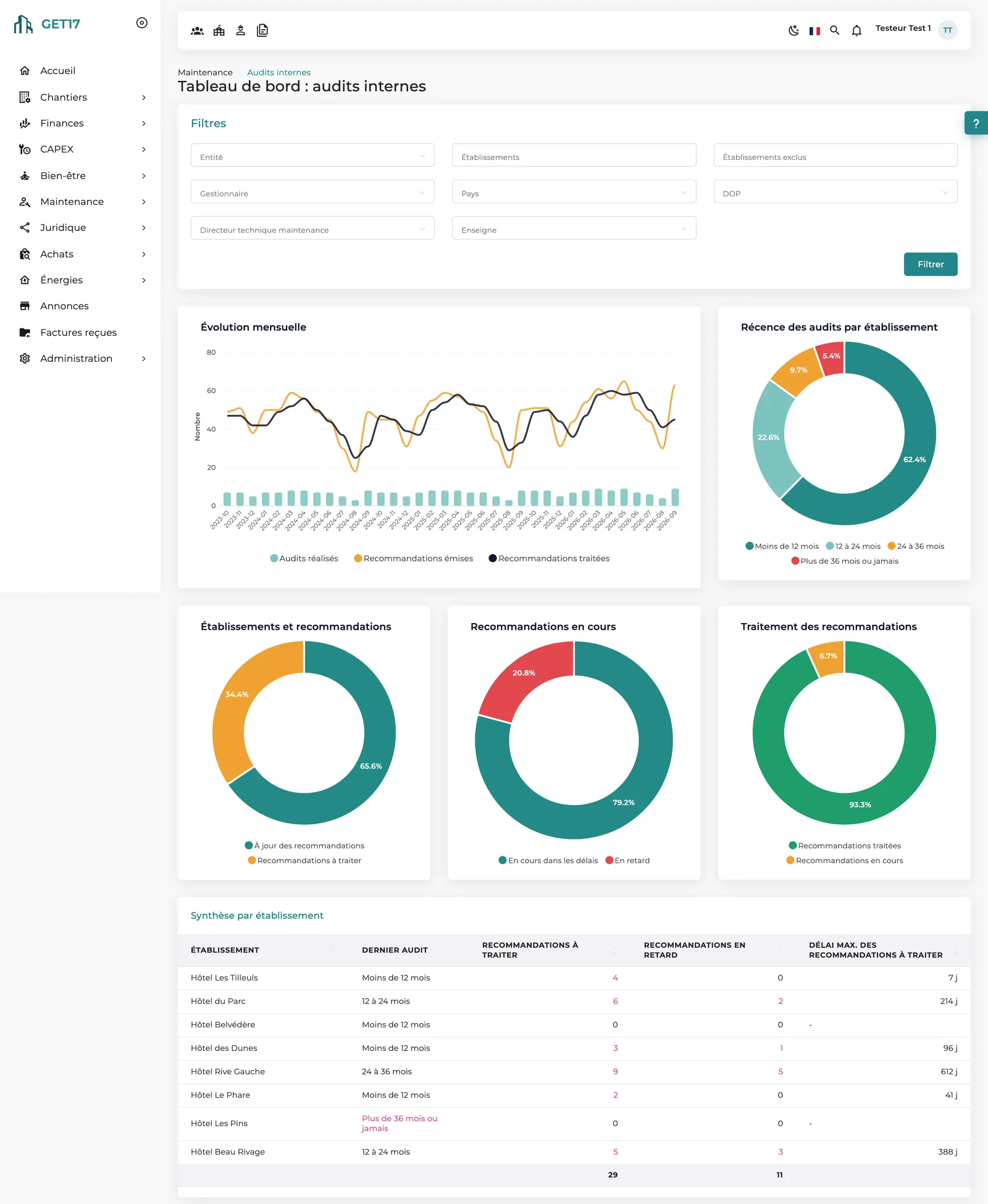
Structured on-site audits, with every recommendation tracked until it is resolved.
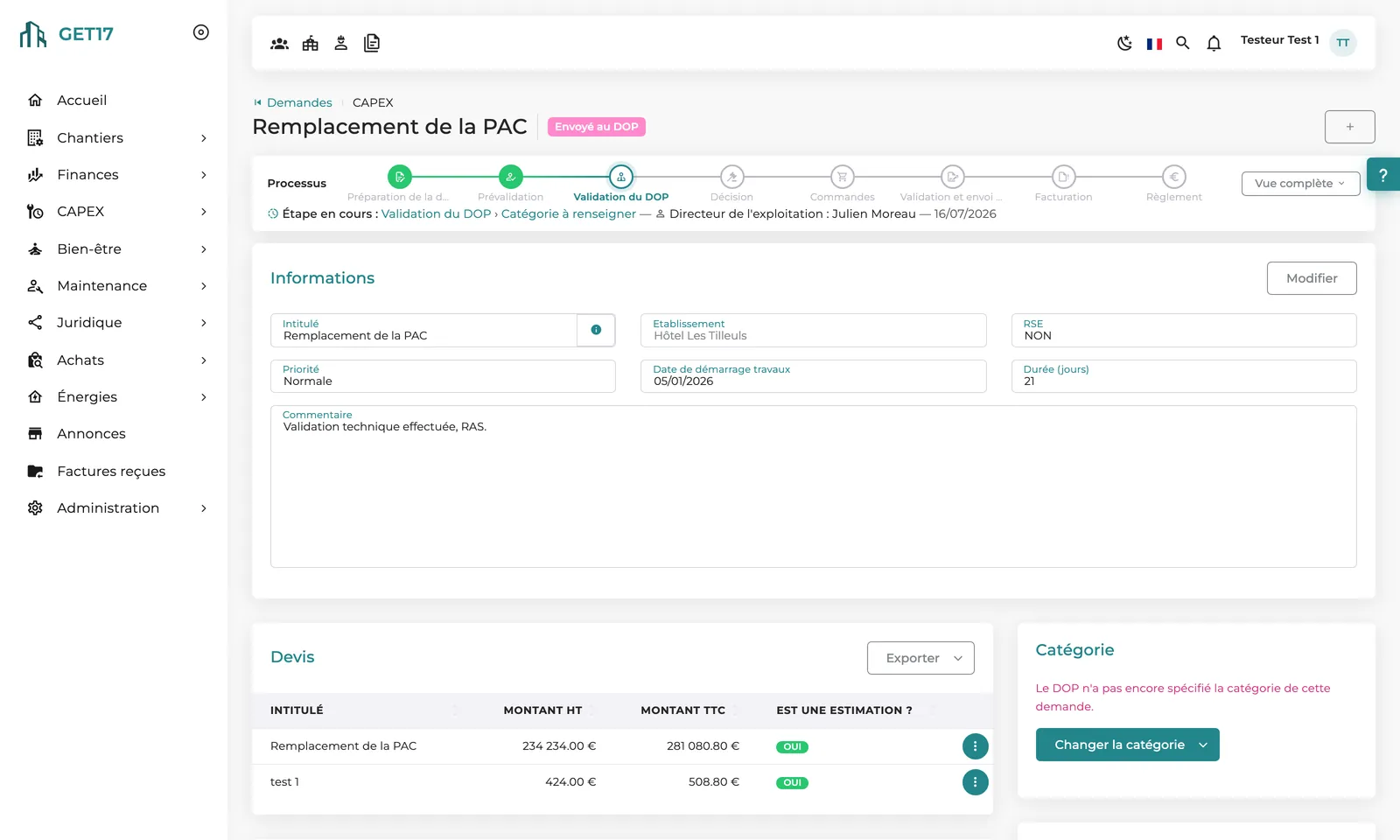
From a property's request to the committee's decision, a workflow true to your rules.
Share your list of inspections: we'll show you how GET17 schedules and tracks them across all your properties.