

Governance and control
Committee thresholds, authorized roles, blocking sign-offs, decision reversal limited to managers: every rule is explicit and enforced by the software.
Module
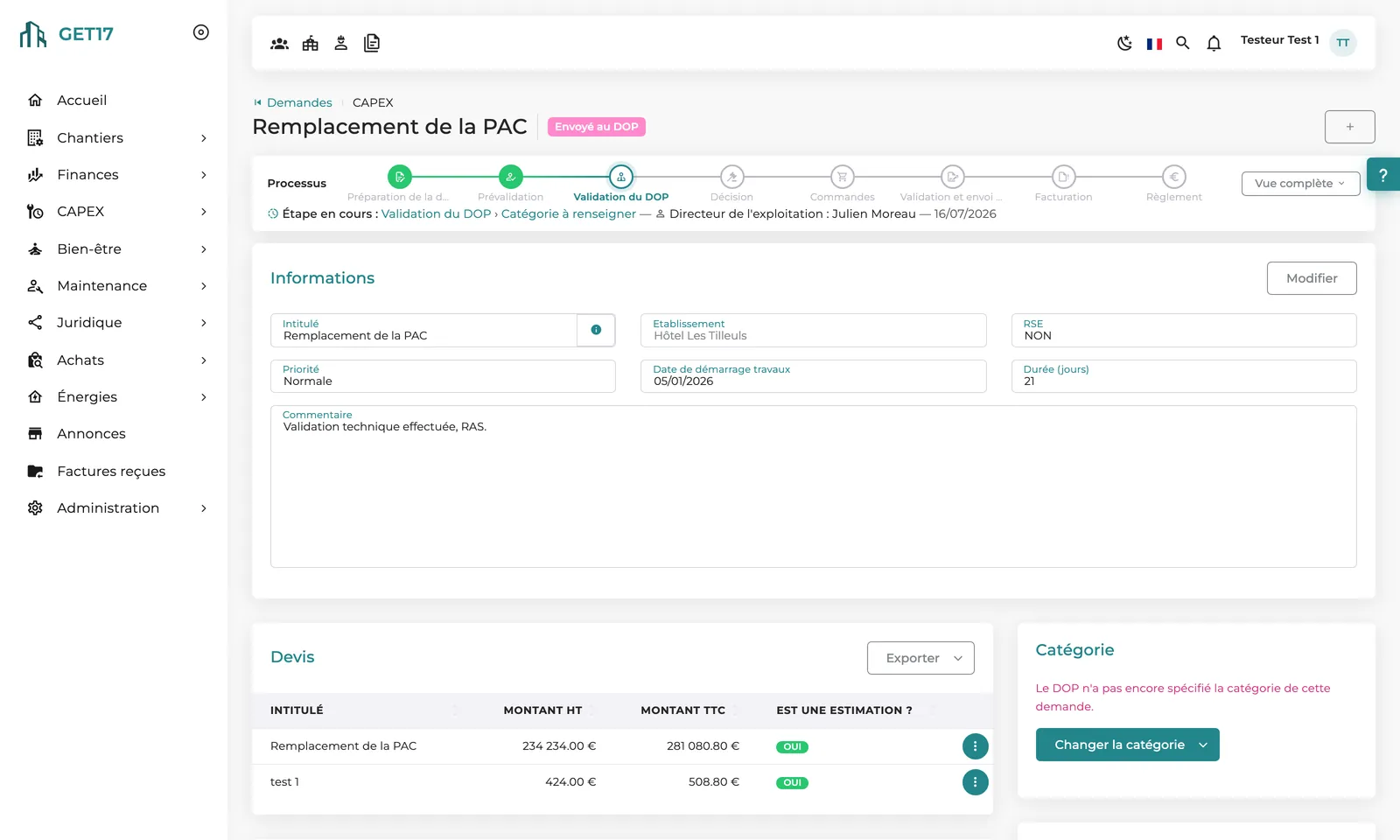
Each property submits its needs, backed by quotes and photos. The approval workflow follows your governance up to the operations director or the committee, then the accepted request becomes a project tracked through to payment.
The problem
Features
Title, priority, target start date, duration, quote or budget estimate, photos, technical documents and blackout periods such as high season.
Up to three pre-approvals before the operations director and three sign-offs after, each with its own roles and thresholds. Every step is enabled in the settings.
The operations director can request technical, design/purchasing and IT sign-offs: they block acceptance until they are granted.
An urgent request requires a comment and can follow its own committee threshold. Some roles can accept outside committee; some categories are decided by the operations director alone.
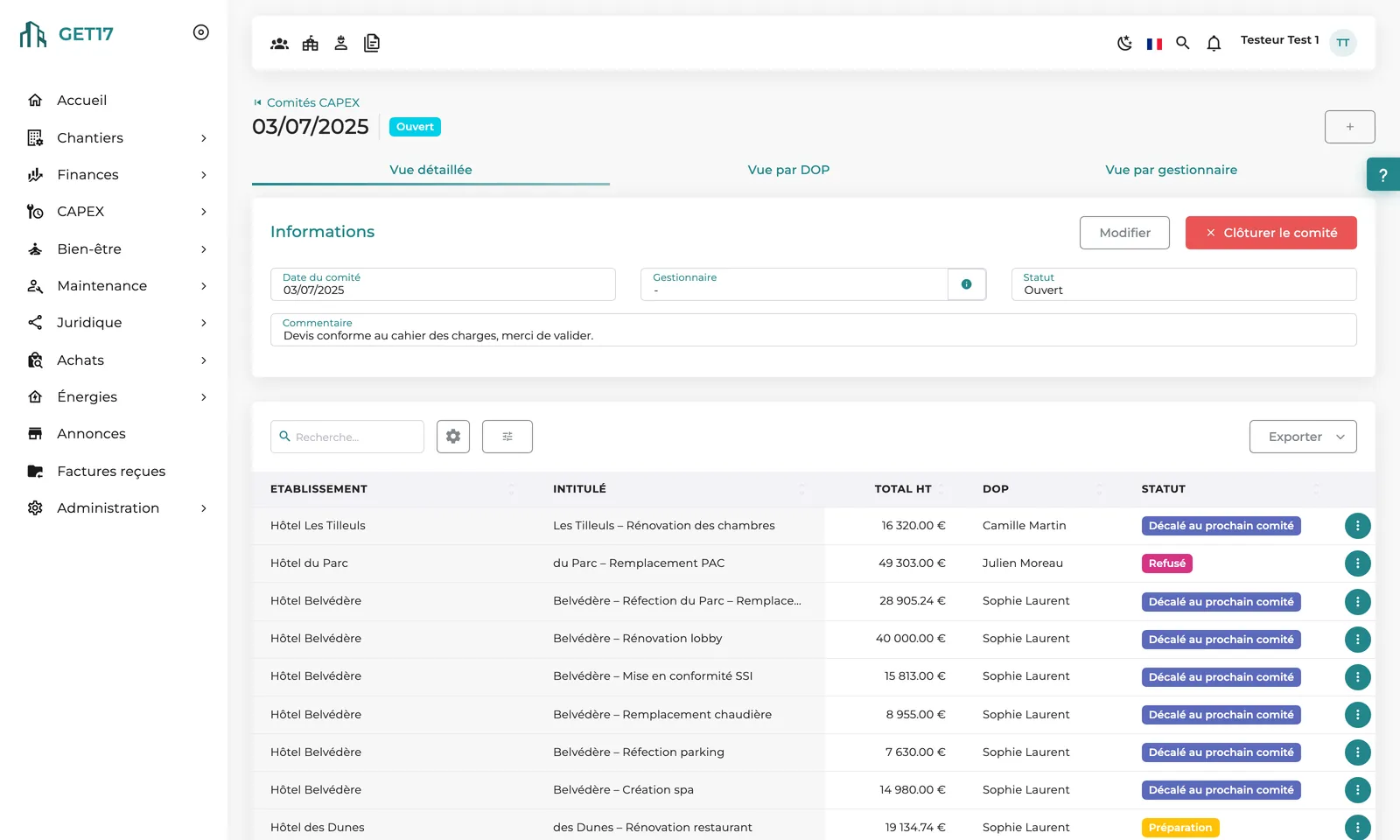
Agenda built as requests are submitted, a view by operations director with each property's financial context, and the meeting pack exported as PDF.
Accept, reject, send back for rework, defer to the next committee or hand over to head office: every decision is notified to the people involved.
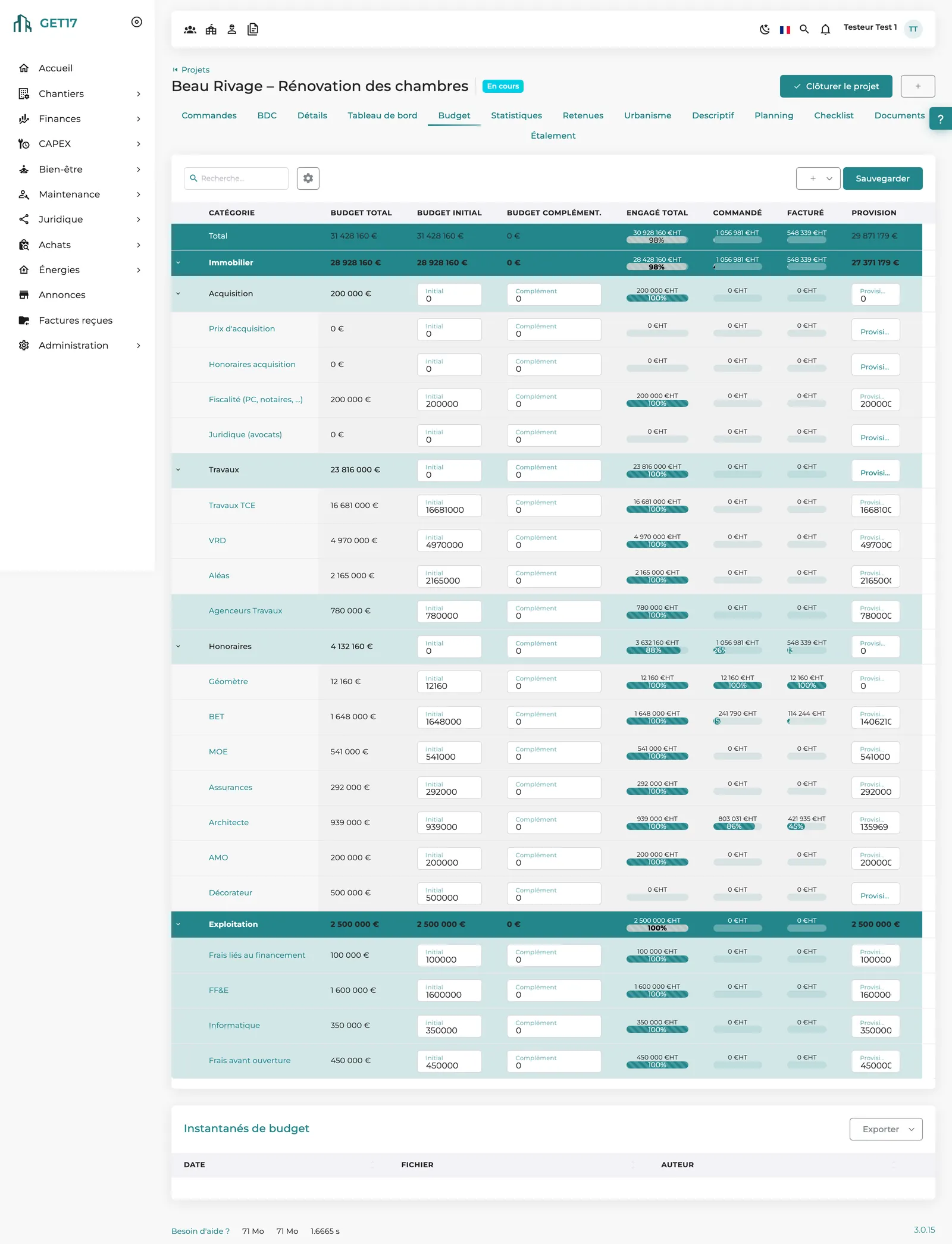
The accepted request automatically becomes a CAPEX project with its quotes: approved orders, invoices, payments and spreading follow the construction workflow.
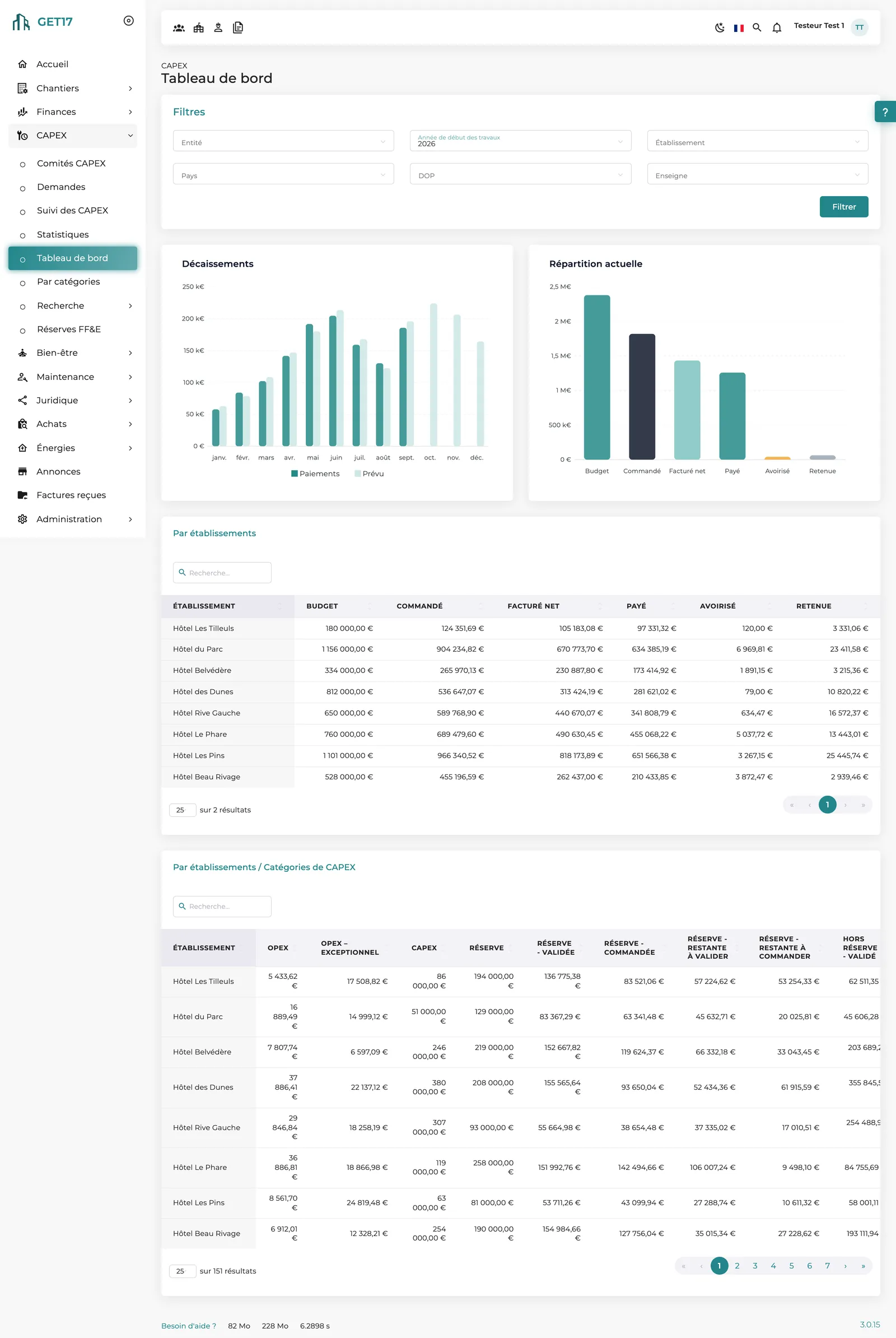
Spend by category, property by property: overruns and underspends stand out immediately, FF&E reserve included.
Once decided, the request becomes read-only: it remains the reference of what was approved, and any change goes through a logged action.
The video
No voice-over; on-screen text in French.
How it works
The property builds its file: quote or estimate, photos, blackout periods. It submits the request once complete.
Optional pre-approvals, then review by the operations director, who assigns the spend category (routine OPEX, exceptional OPEX, CAPEX, FF&E reserve…) and calls in the relevant specialists.
Below the threshold, the operations director accepts directly; above it, the request goes on the next CAPEX committee agenda.
The committee decides with the full file at hand, then closes the session: its decisions are locked.
The CAPEX project is created automatically: approved orders, invoices, payments, spreading into the treasury forecast.
Dashboard, statistics and spend by category consolidate the group and measure the gap between approved and ordered.
On screen
Our approach
GET17 does not force a standard workflow on you: each step is enabled, given a threshold and assigned to a role in the settings. The module deliberately separates the investment decision from the commitment of spend, so what was approved stays comparable with what was ordered.
The request sets a budget envelope; the project commits spend, order by order. Every action is dated, attributed and can carry a comment.
The property manager submits the request; the operations director, specialists and committee decide on the same record, whose timeline shows the current step and who is expected to act.
FF&E reserve tracked by property, blackout periods during high season, committee packs by operations director: the module speaks the language of hotel groups.
What makes the difference
Committee thresholds, authorized roles, blocking sign-offs, decision reversal limited to managers: every rule is explicit and enforced by the software.
A simple form, a timeline showing the current step, notifications at every stage and tasks on the home page.
The meeting pack is generated as PDF, scoped to the operations director, manager or property on screen: no more assembling documents by hand.
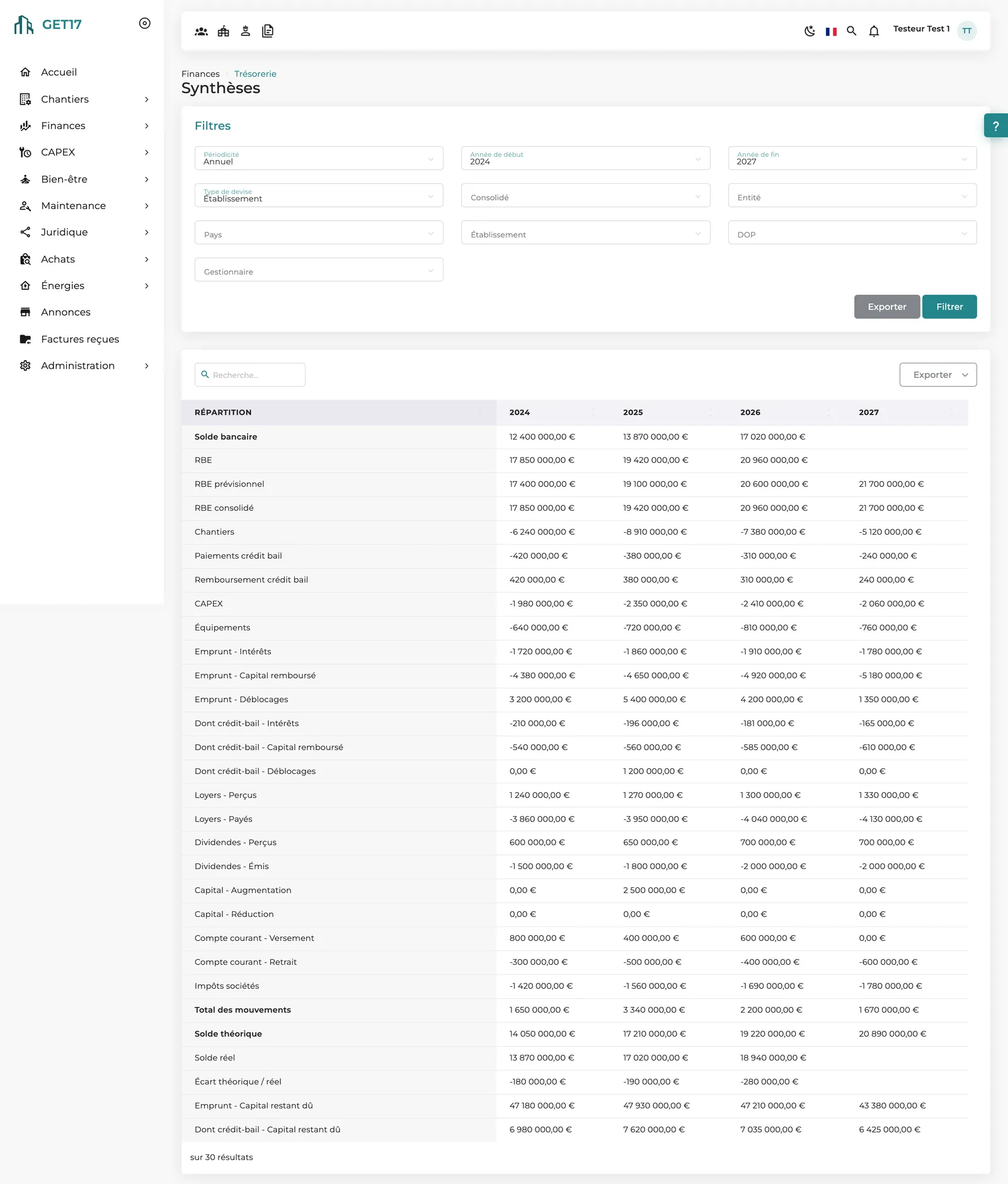
Each CAPEX project's spreading feeds the group's treasury forecast, and the FF&E reserve is tracked from allocation to available balance.
Amounts tracked in each property's currency, filters by country, brand and operations director. 100% web, in 6 languages.
Frequently asked questions
Yes. Pre-approvals, specialist sign-offs, committee threshold (with a separate one for urgent requests), categories decided by the operations director alone, roles allowed to accept outside committee: each rule is set in your platform settings.
A CAPEX project is created automatically with the request's quotes. It is managed like a construction project: approved orders, invoices, payments, spreading, then closing.
Because it is the reference of what was approved. To change it: send it back for rework before the decision, have an authorized manager reverse the decision, or create a new request for additional needs.
The Spend by category screen compares, by property and category, the approved amount with the amount actually ordered. Ordered above approved flags an overrun to be explained.
Yes, when enabled: annual allocation per property with balance carried forward, consumption by requests in the reserve category, and the available balance shown in the analyses.
No, by design. The preventive maintenance renewal plan flags and costs upcoming replacements; the decision to replace or extend remains a human one.
Other modules
From quote to final payment: every euro of your projects allocated in real time.
Royalties, recharges, debt and treasury: the group's cash flows combined and forecast.
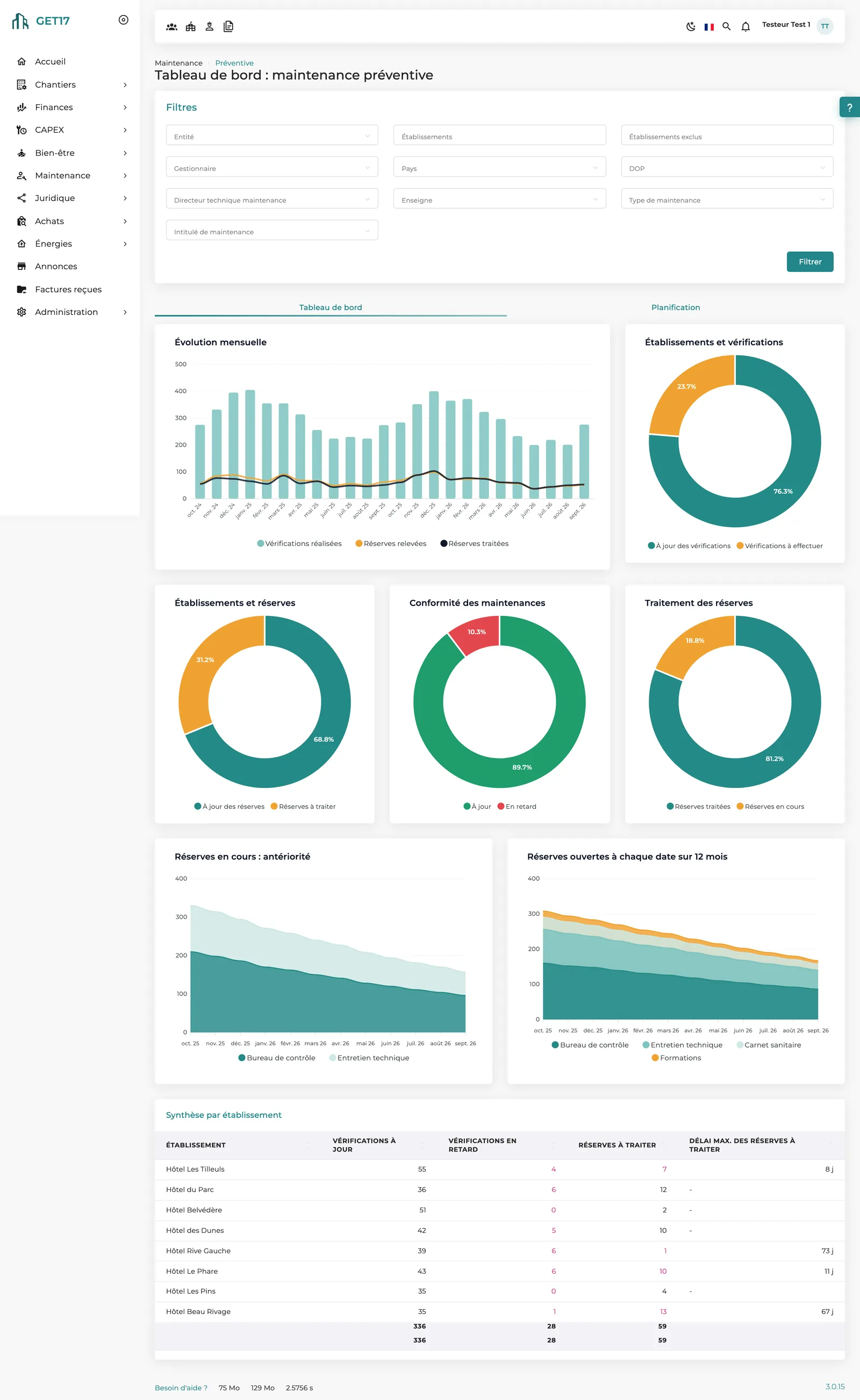
Statutory inspections, findings and equipment renewal: nothing slips through the cracks.
Tell us about your thresholds, committees and approvers: we'll show you the matching workflow in GET17.