

Control and audit trail
Configured approval workflows, a full history of every order (who changed what, and when), budgets locked as dated versions.
Module
New builds or renovations, GET17 tracks every project from order to payment, with a budget that updates itself. Works, finance and accounting teams share one file, following your group's approval rules.
The problem
Features
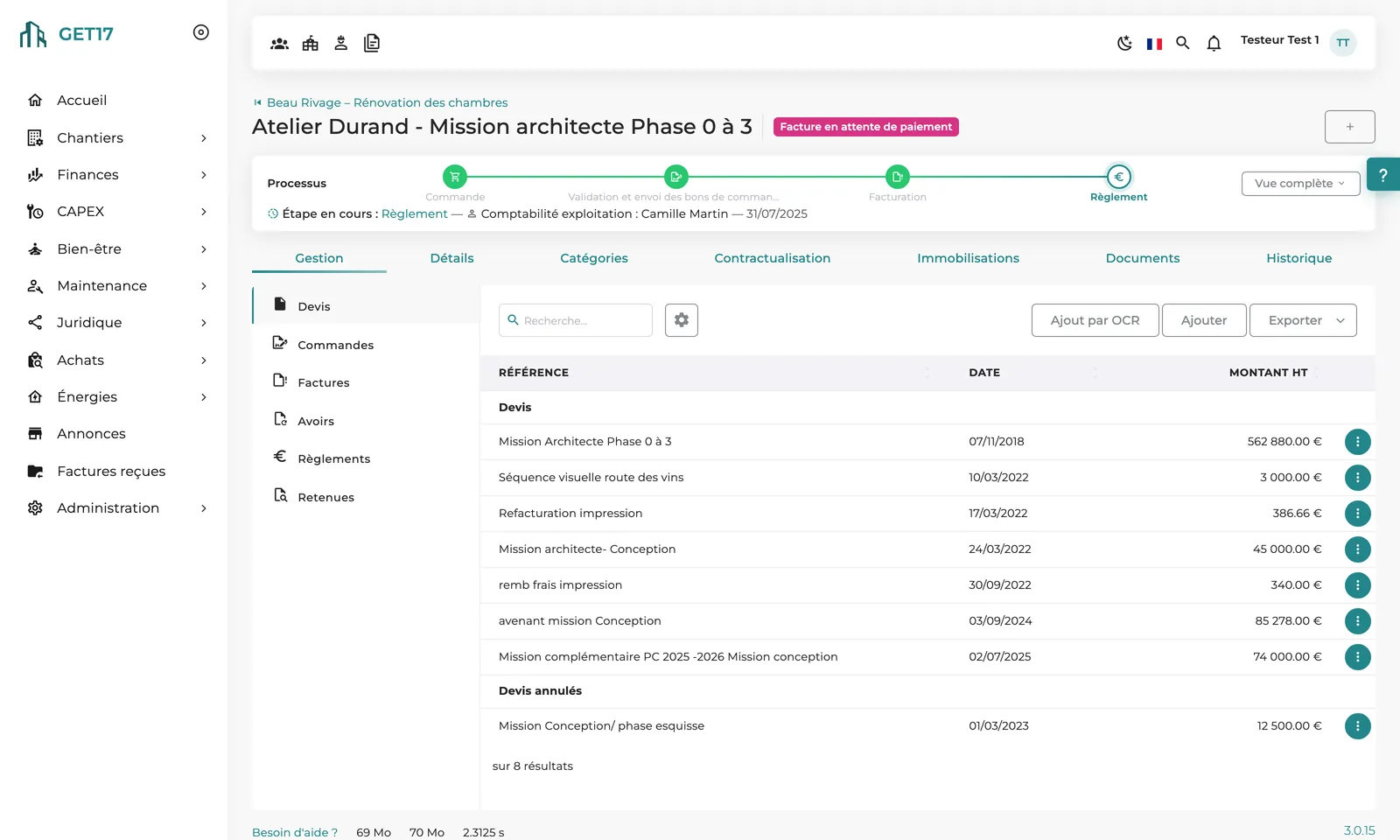
Every order is charged to a budget line. Upload quotes as PDFs, or let automatic reading (OCR) pre-fill the entry, depending on your setup.
Finance approval, then up to three management levels depending on amount and category, e-signature when required, and delivery to the supplier with the PDF attached.
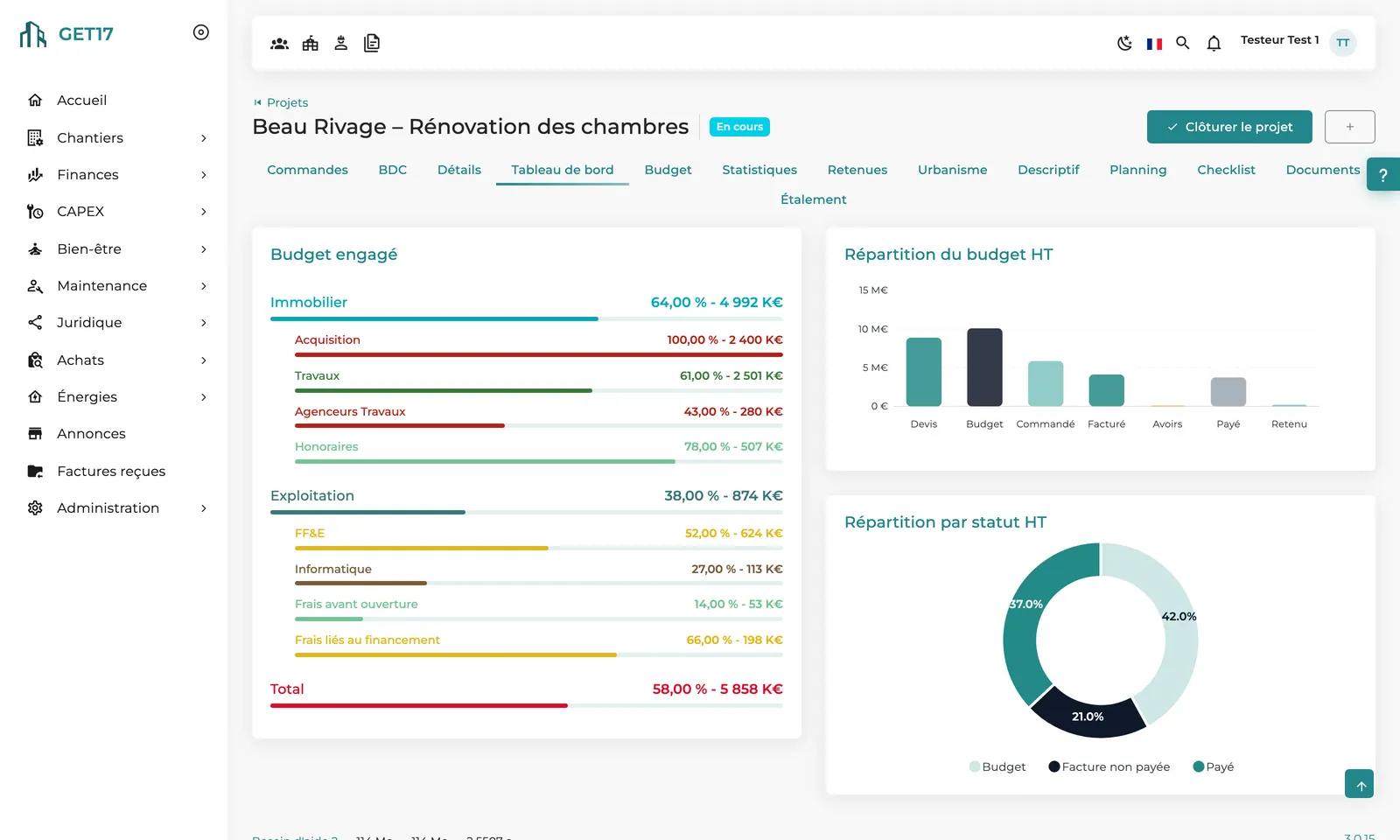
Initial budget, additions and provisions, line by line. Committed, ordered, invoiced, paid and variance update with every order, invoice or payment.
All projects share the group's budget structure; each one can add its own sub-categories without changing the common framework.
Lock the budget at key milestones: each lock creates a dated, downloadable snapshot as a record of what was approved.
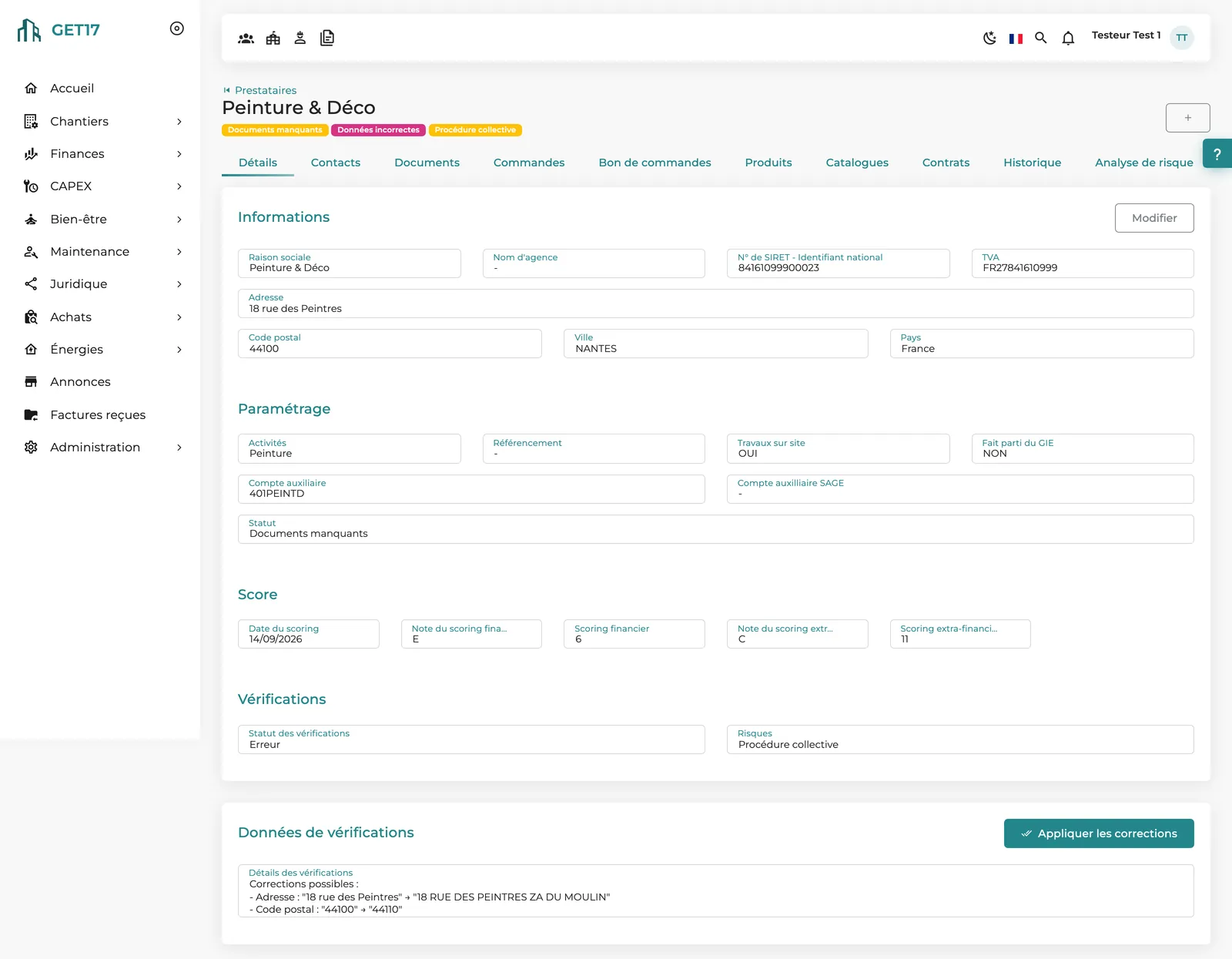
The Contracting tab flags missing or expired certificates and insurance for the supplier and its declared subcontractors.
Building permits, prior declarations and orders are grouped by authorization with their official documents, so the project file stays complete for any inspection.
Enable retention order by order: withheld amounts are calculated, and a consolidated view lists everything still to release at the end of the warranty period.
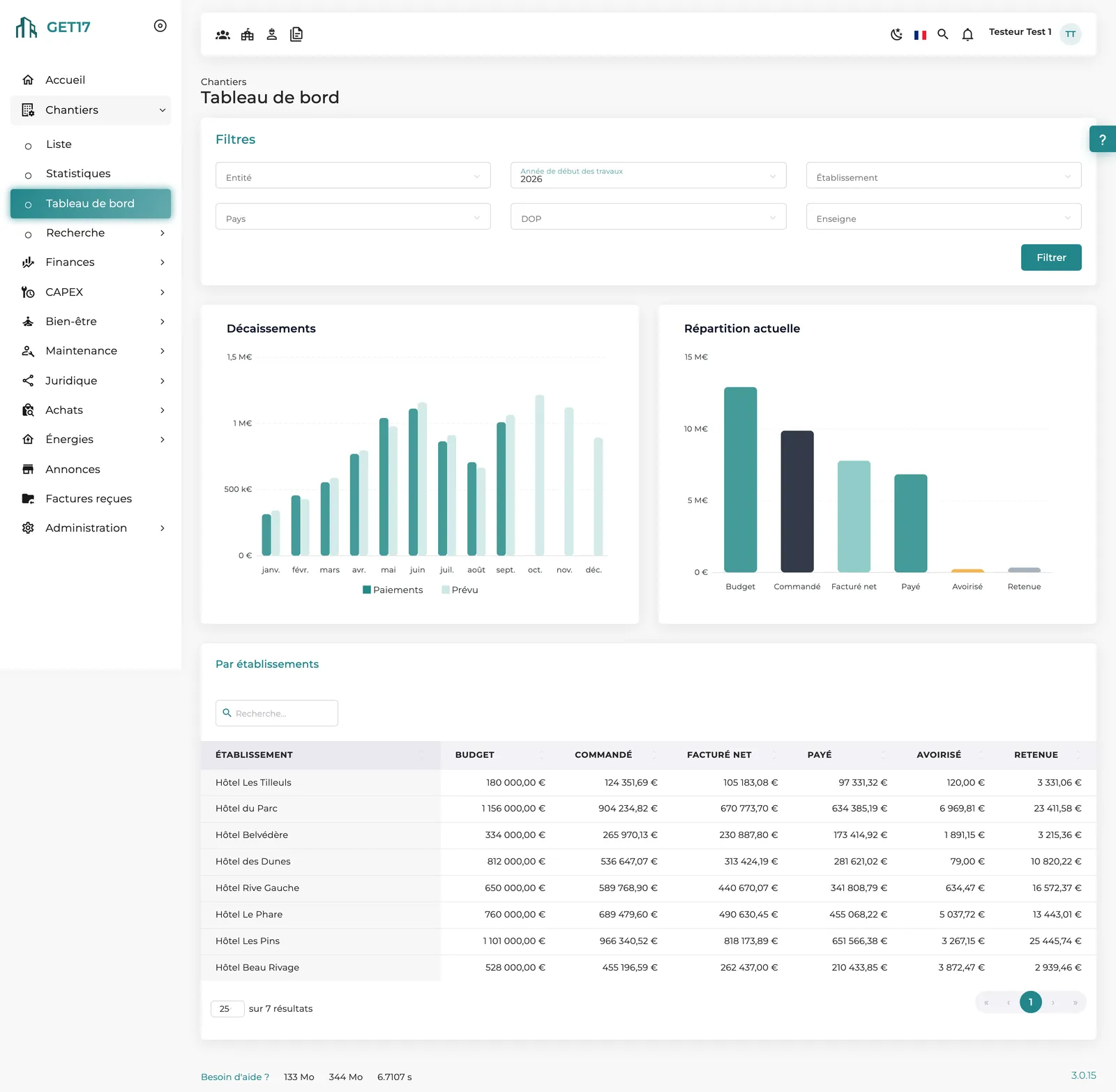
Average costs by family, per m² and per room, planned vs. actual cash-outs, comparison by property, and cross-project search of orders, quotes and invoices.
The video
No voice-over; on-screen text in French.
How it works
Property, type, dates, estimated financing and team: project lead, finance, procurement, accounting, project management consultant. Every role knows what it can do.
Initial amounts, additions and provisions on the shared structure, then lock the approved budget.
Quote uploaded, purchase order generated, approved against your thresholds, e-signed if needed, then sent to the supplier.
Invoices approved through your payment workflow, payments recorded by accounting, credit notes and retention deducted from the balance due.
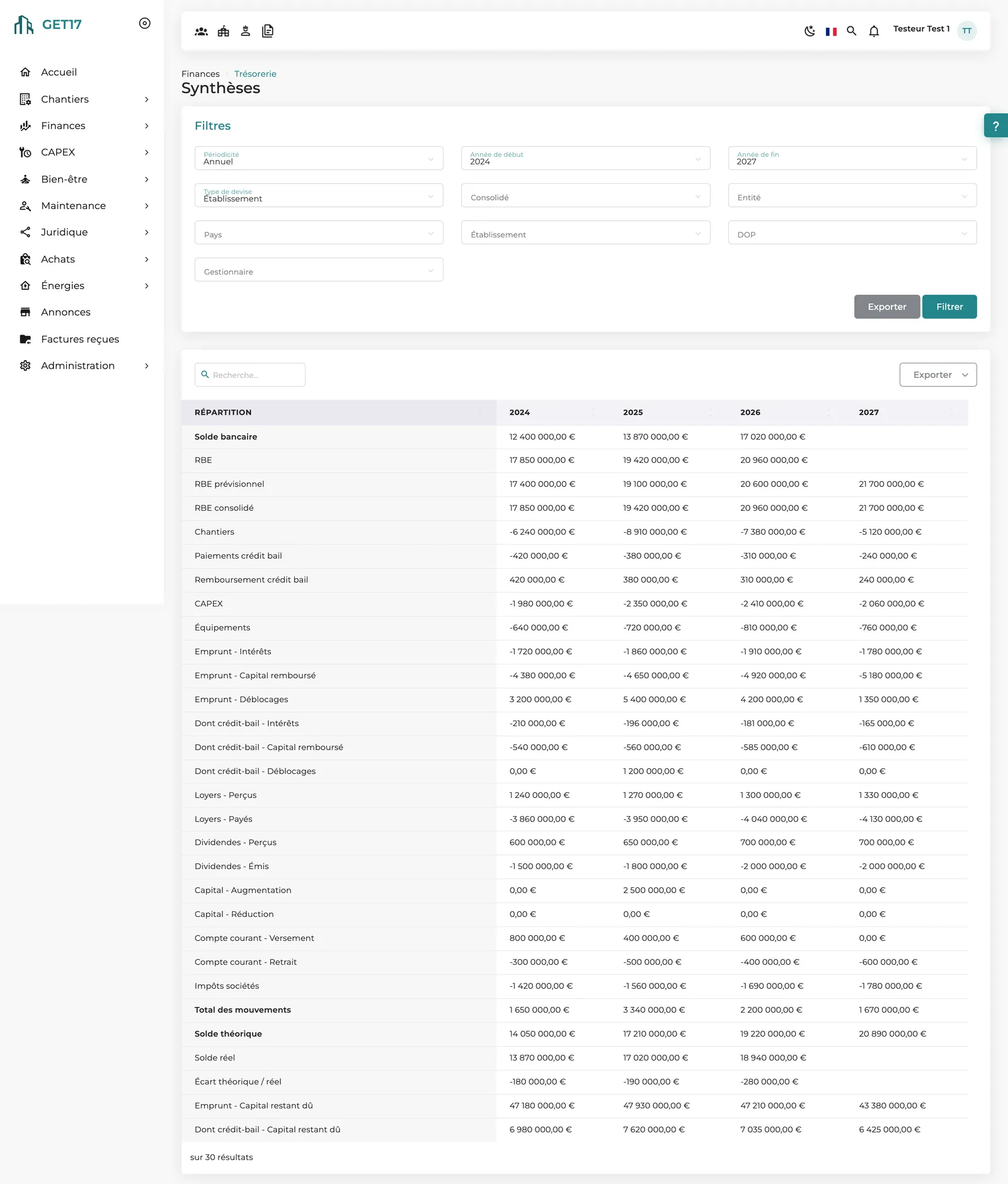
Spreading projects cash-outs month by month and feeds the group's treasury forecast.
Dashboard and statistics, then closing: budget, orders, invoices and documents remain available, nothing is deleted.
On screen
Our approach
Construction projects was GET17's first module, launched in 2017 and developed from 2018 with a hotel group. It runs on the same master data as the whole platform: properties, suppliers, users and budget structure are shared, and every amount flows automatically into the group's treasury and reporting.
Thresholds, approver roles, categories in scope, e-signature, locking of quotes and invoices: the workflow follows your rules, set in the platform settings.
Each project has its own roles. Ordering rights can even depend on the budget category, for instance one handled by the IT manager.
Each project is run from its own record; the dashboard and statistics consolidate all of them by property, country, operations director or brand.
What makes the difference
Configured approval workflows, a full history of every order (who changed what, and when), budgets locked as dated versions.
Everyone acts at their own step: the project lead orders, finance approves, accounting pays. Pending tasks appear on the home page.
Committed, invoiced and paid amounts derive from documents entered once; spreading follows from payment terms.
Excel exports of lists, budgets, invoices and cash-outs, DocuSign e-signature, REST API.
Each order carries its own currency, consolidated in the group currency. 100% web, in 6 languages, on any device.
Frequently asked questions
The project's buyers: the project lead and deputies, procurement assignees and, when the budget category specifies a purchasing role, the members holding that role. The group works department and administrators have these rights on every project.
Yes. Finance approval above a threshold, then up to three management levels, each defined by a threshold, an approver role and categories. E-signature and locking of quotes and invoices are enabled in the settings.
The Spreading tab breaks the budget down month by month: actual payments for past months, and for future months a forecast built from orders, their payment terms and your estimates. These amounts flow automatically into the group's treasury.
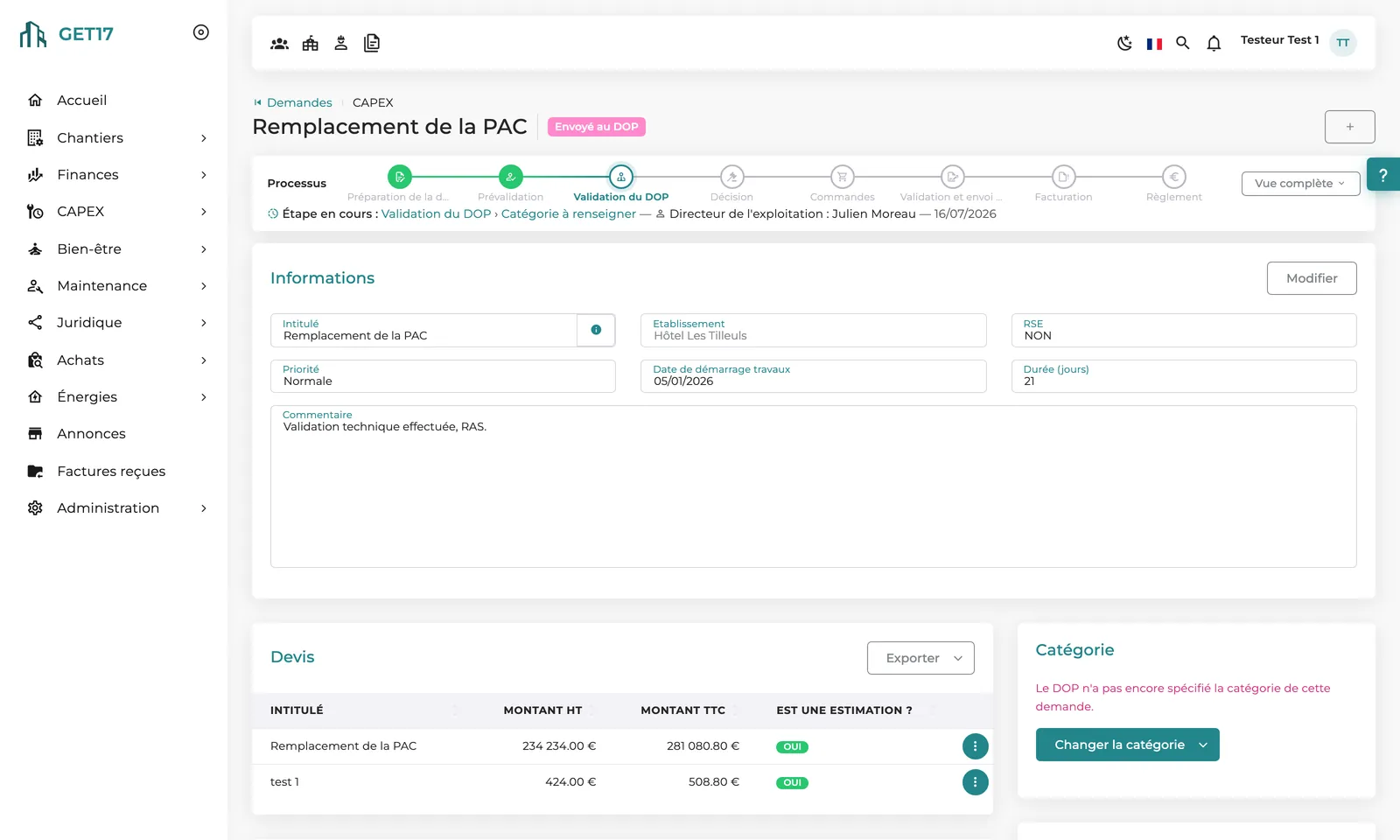
Construction projects covers new builds and renovations. CAPEX handles, upstream, the investment requests from properties and their approval; an accepted request becomes a project tracked with the same records and order workflow.
Yes. The History tab of each order shows the author, date, old and new value of every change, including on linked quotes, invoices, credit notes and payments.
The schedule is uploaded as a versioned file: with each update, the operations director, the property manager and the project lead are notified. Depending on your setup, a phase-based checklist is also available as a Gantt view.
Other modules
From a property's request to the committee's decision, a workflow true to your rules.
Royalties, recharges, debt and treasury: the group's cash flows combined and forecast.
Verified suppliers, shared negotiated prices and contracts under control.
Show us a project in progress: we'll walk you through how GET17 runs it, from budget to final payment.