Field adoption
Illustrated quick actions, mobile entry, photos taken from the phone: reporting is within reach of every team.
Module
Housekeeping, front desk or maintenance: anyone can report an issue from their phone or the web, with a photo. The technical team is notified, takes it on and closes it, and every lead time is measured.
The problem
Features
Requests filtered in one tap (open, my tasks in progress, on hold, my reports…), with creation, pickup and closing right from the field.
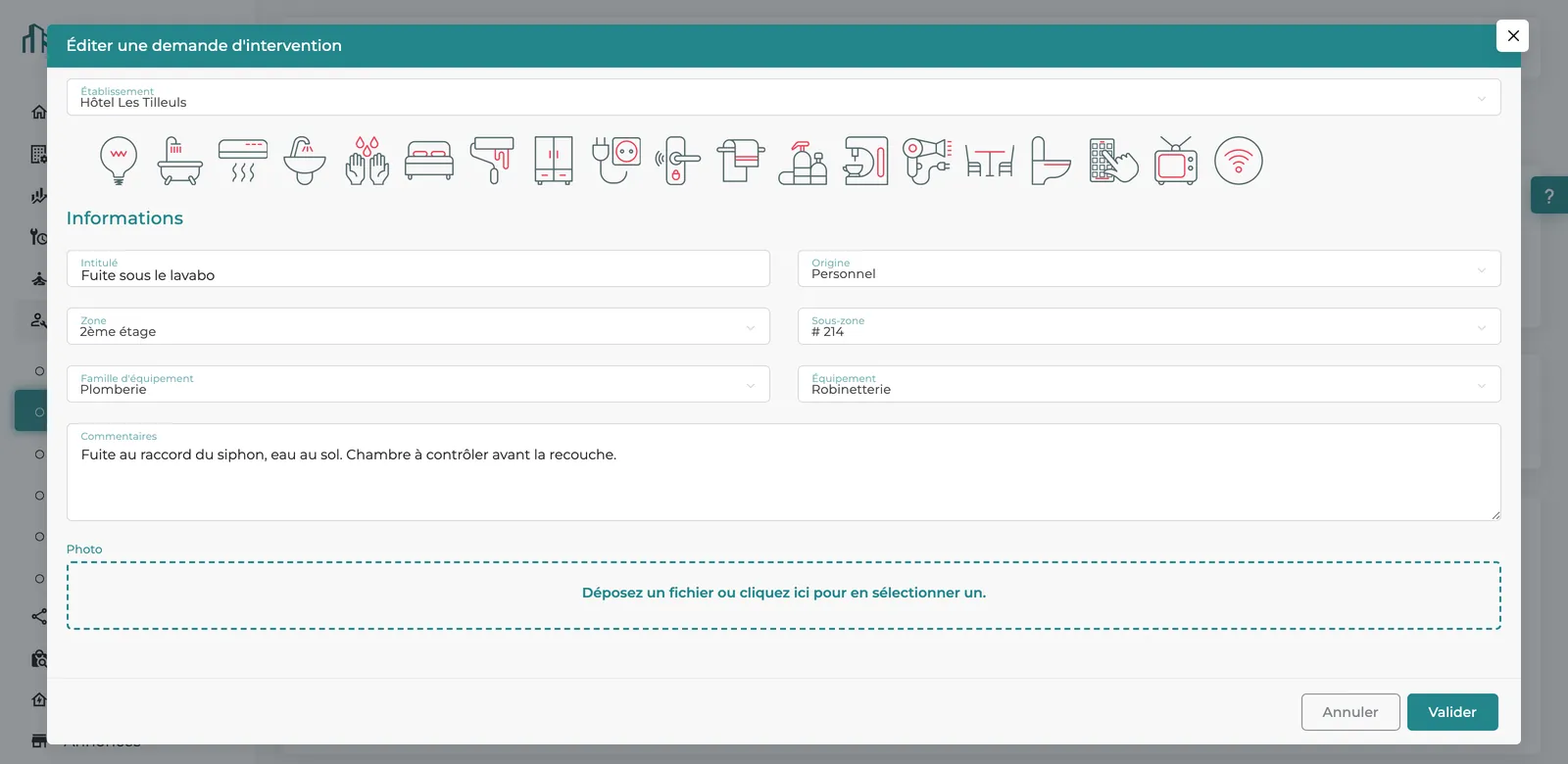
Illustrated quick actions pre-fill the request; you just add the origin (guest or staff), zone, sub-zone and a photo.
Offline, the request is kept on the phone, flagged as pending sync, and sent at the next sync once the connection is back.
On creation, the property's designated members are notified. No dispatching needed: the technician who takes the request becomes its owner.
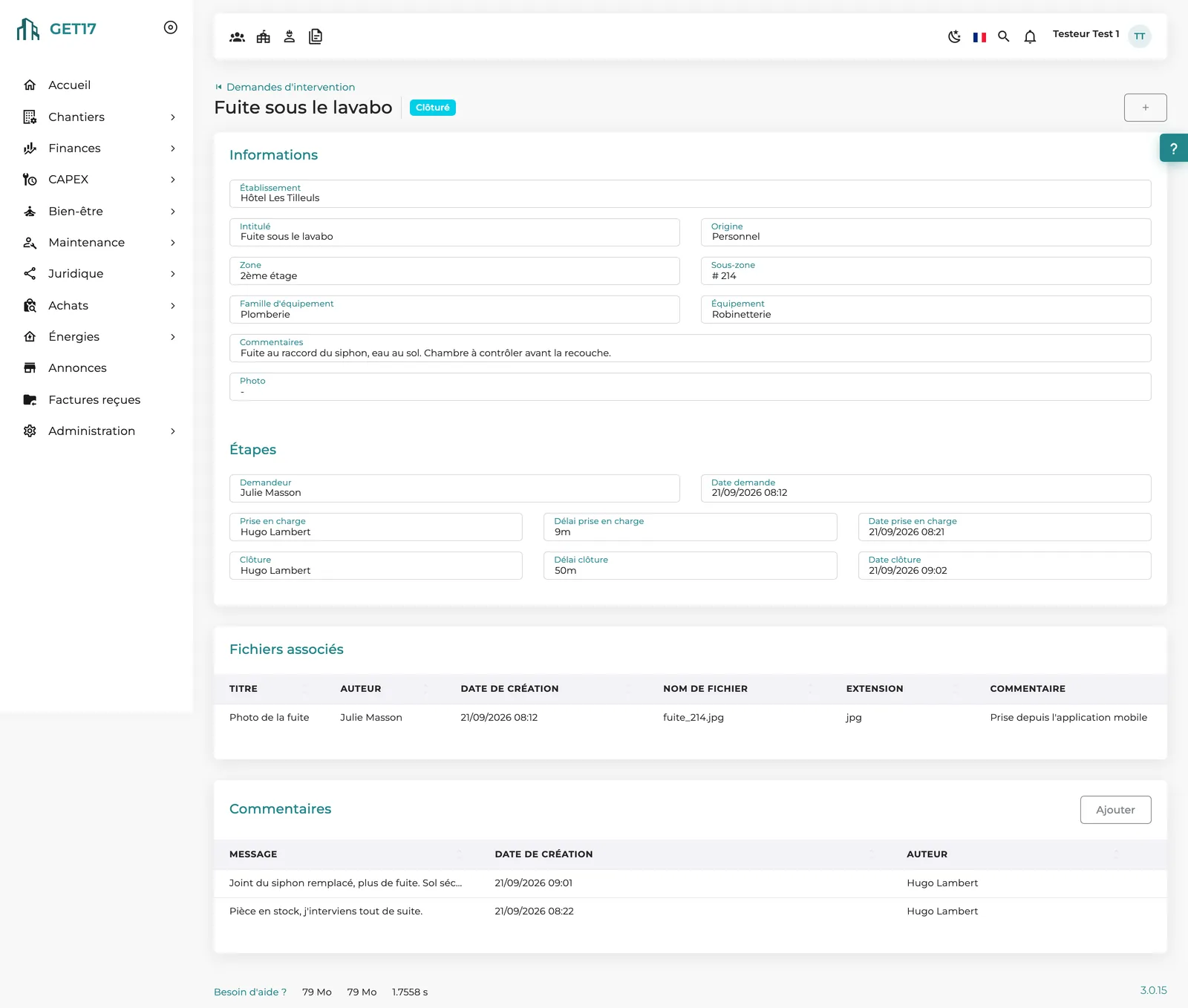
Requested, In progress, On hold, Closed, Cancelled: every change is timestamped, and response and resolution times are calculated automatically. Reopen if the issue comes back.
Photos, files and comments stay attached to each request, even after closing, and the filtered list can be exported at any time.
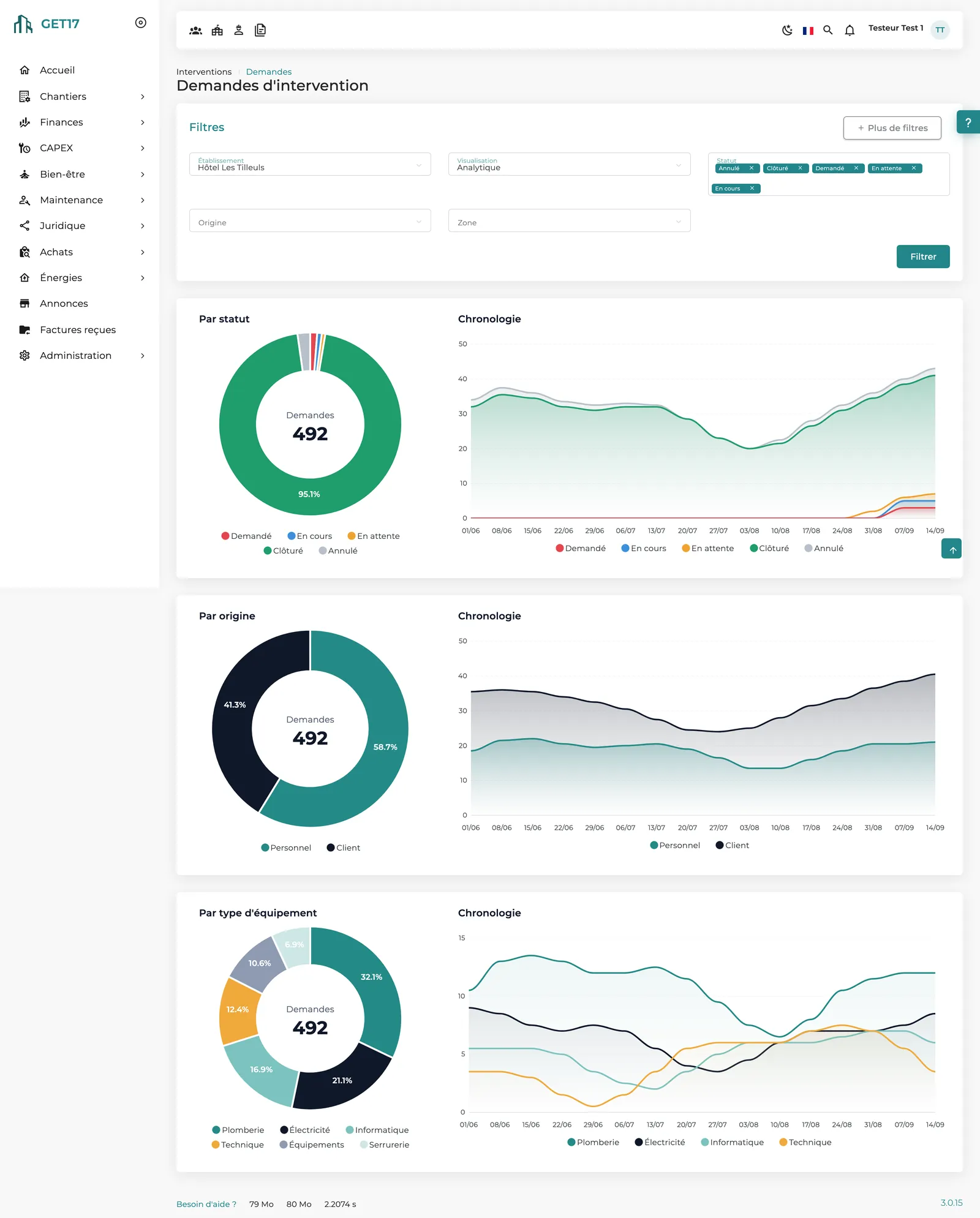
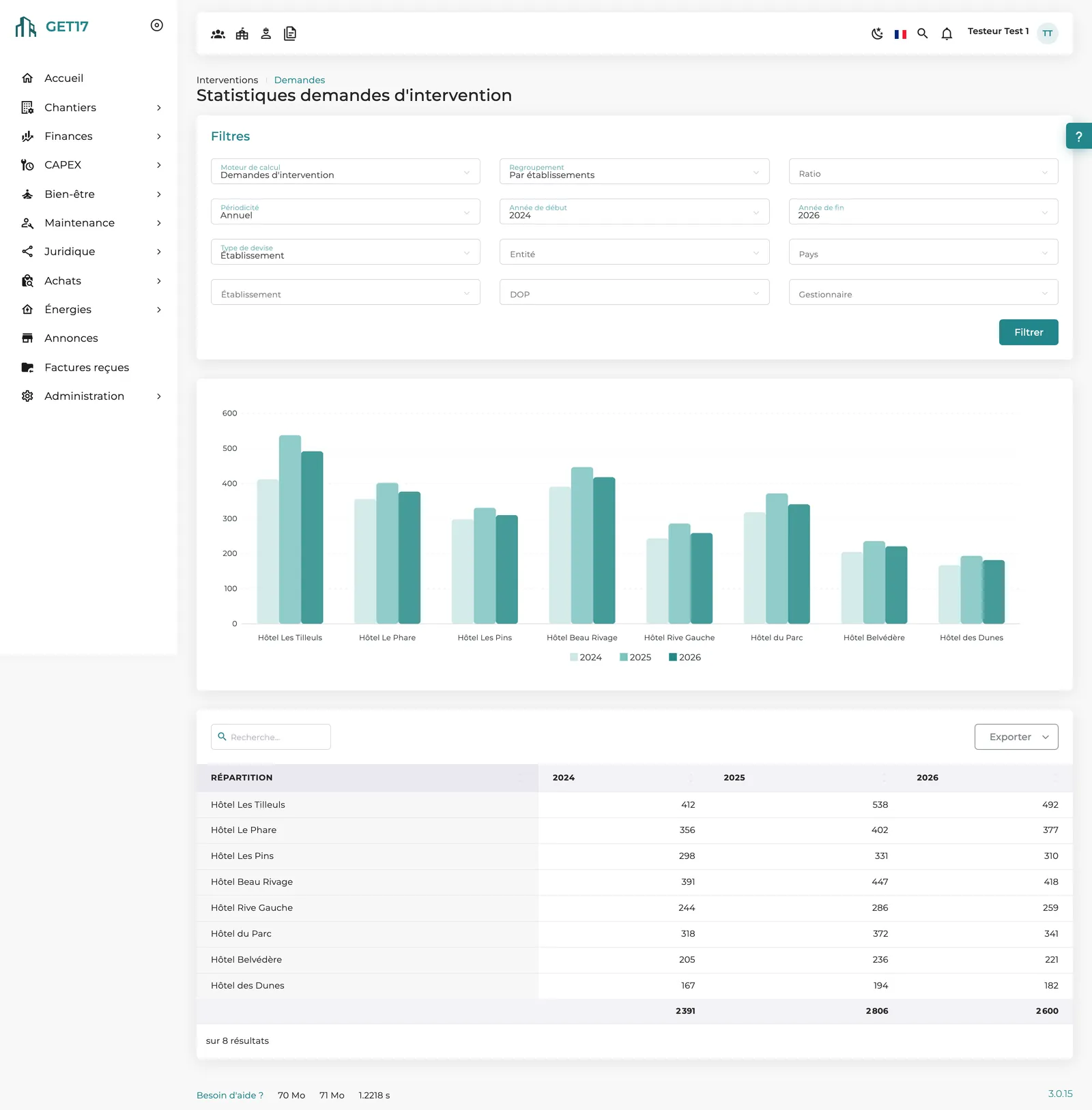
Breakdown by status, origin and equipment type; statistics by property, zone, equipment, day, hour or lead time, normalized per room.
Zones and sub-zones imported from Excel, quick actions enabled per property, and a maintenance, front desk or housekeeping designation for each member.
The video
No voice-over; on-screen text in French.
How it works
From the app or the web: quick action, zone, sub-zone, comment and photo.
The request is set to Requested and the property's technical team is notified.
A technician takes it on, comments, puts it on hold if a part is missing, then closes it.
Every step is timestamped; response and resolution times are calculated.
The analytics view and statistics reveal peak times and team responsiveness.
Recurring issues by zone or equipment guide preventive maintenance, replacements and CAPEX requests.
On screen
Our approach
Reporting takes a few taps for teams on the move, yet every request is structured: property, zone, equipment, origin. That is what lets head office analyze every request across the group and connect breakdowns to the rest of the portfolio.
Zones, equipment families and users are those of the whole platform: a breakdown connects to the equipment inventory and its renewal plan.
The property's whole technical team sees the requests; whoever takes one becomes its owner, and statistics track each person's activity.
A room or piece of equipment that concentrates failures stands out in the statistics, supporting a preventive inspection or a CAPEX request.
What makes the difference
Illustrated quick actions, mobile entry, photos taken from the phone: reporting is within reach of every team.
Requester, owner, dates and lead times of each step, photos and comments: a reliable history, useful for disputes or guest complaints.
Response and resolution times calculated automatically and analyzed by property, day, hour or user.
Reporting, handling and configuration rely on permissions specific to each property.
A per-room ratio to compare properties of different sizes, exports of lists and statistics. 100% web, in 6 languages.
Frequently asked questions
Not for the web version, which runs in any browser. The GET17 mobile app for iOS and Android is recommended for field teams: direct photos, simplified entry and offline use.
Property members with the relevant designation, such as the technical team, are notified. New requests also appear in the home-page tasks of the users concerned.
There is no named assignment: the whole technical team sees the request, and the technician who clicks “Take charge” becomes its owner.
Filter the list by zone or sub-zone, or group statistics by zone, sub-zone or equipment: recurring issues stand out immediately.
Yes: a request can specify the equipment family and item concerned. The report is thus linked to the equipment inventory and informs preventive maintenance and CAPEX decisions.
Yes. Default quick actions are provided; your managers adapt them and enable them for the whole group or property by property.
Other modules
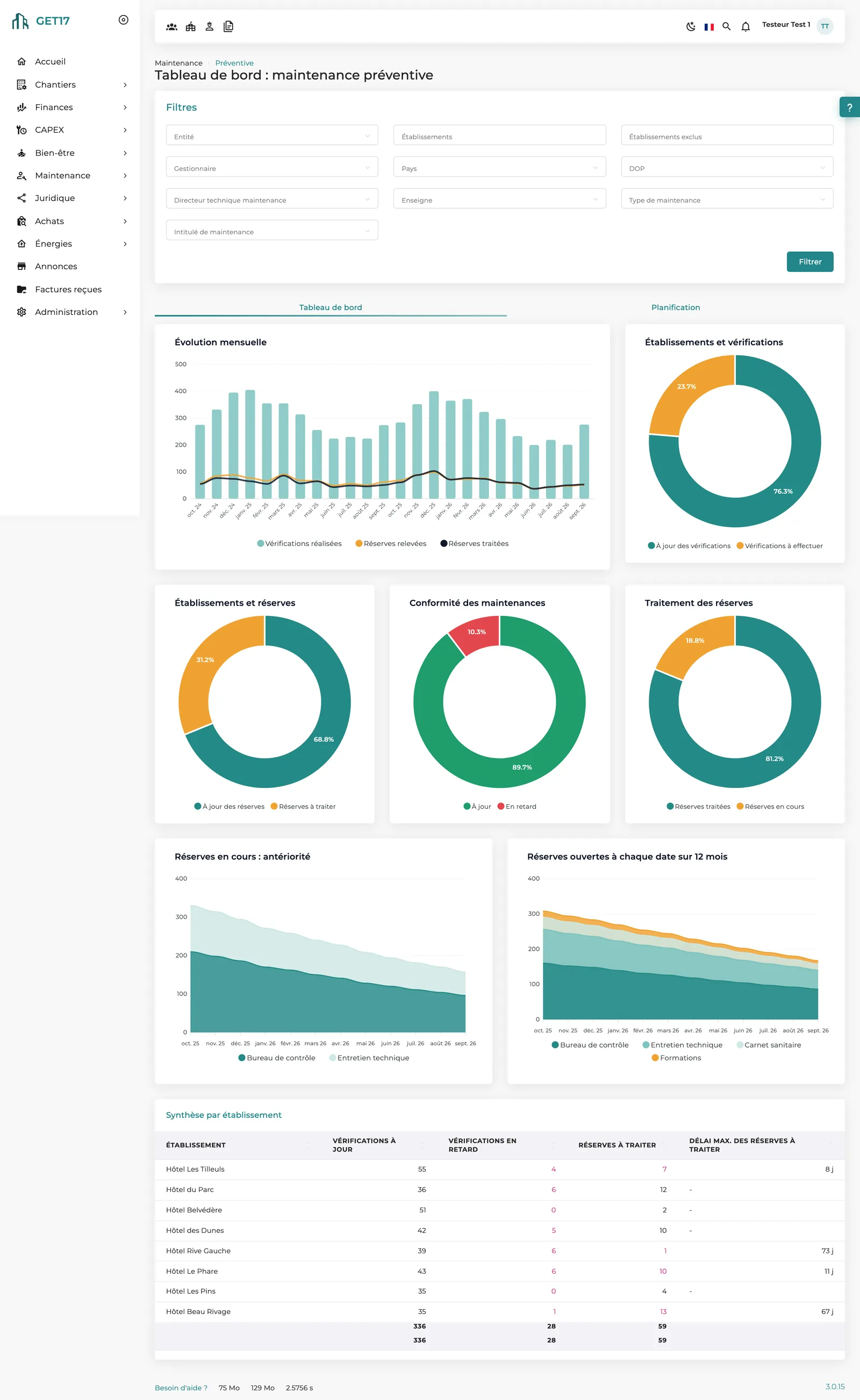
Statutory inspections, findings and equipment renewal: nothing slips through the cracks.
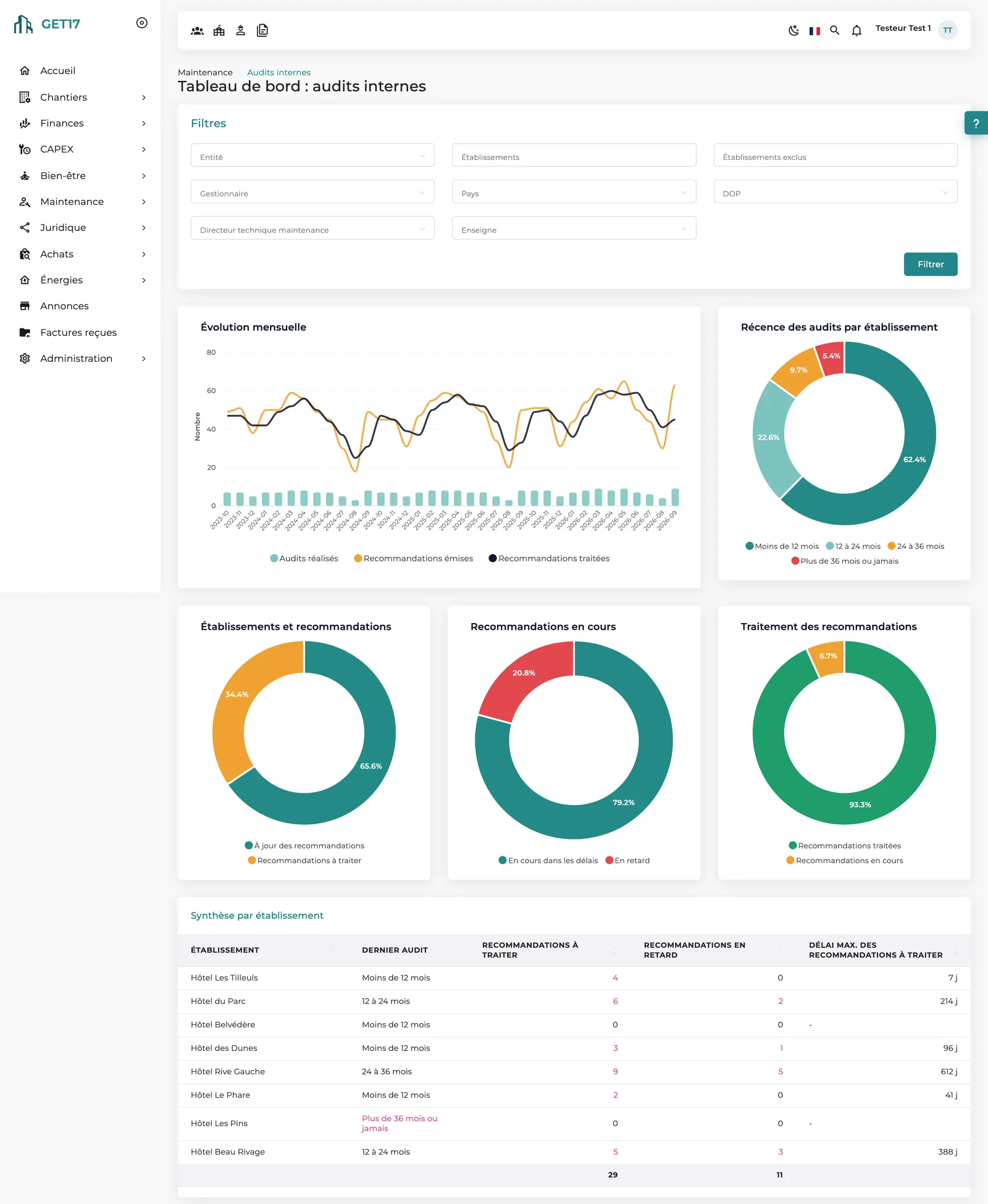
Structured on-site audits, with every recommendation tracked until it is resolved.
From a property's request to the committee's decision, a workflow true to your rules.
We'll show you the full journey, from reporting on a phone to analysis at head office, with your own zones and teams.