
Requests lost along the way
A works request emailed to head office: no way to know who read it, who needs to approve it, or when it will reach the committee.
General Manager, Site Manager
Investment requests, construction works, regulatory inspections, work orders, audits, meter readings: every morning, GET17 tells you what needs your attention. You run your property; head office follows along without chasing you.
What slows you down
A works request emailed to head office: no way to know who read it, who needs to approve it, or when it will reach the committee.
Which inspection is coming due? Which findings are still open? The answer sits in a binder, or with the contractor.
At the front desk, over the phone, in a corridor: reports get lost, and guests end up reminding you.
Head-office spreadsheets, contractor emails, logbooks: you spend more time reporting than managing.
What you gain
Quotes, photos, preferred start date, blackout periods such as peak season: your file goes out complete, and you follow every step of its approval.
Explore the module Preventive maintenanceValid, due soon, overdue: color coding and the upcoming schedule show where each inspection at your property stands.
Explore the module Corrective maintenanceYour teams report from their phone, photo included; the technical team is notified right away. Response and resolution times are measured.
Explore the module Internal auditsWhen an audit is distributed, you receive the PDF report by email. Each recommendation stays tracked until it is resolved.
Explore the module EnergyFrom the 10th of each month, a task reminds you of last month's readings to enter. Your consumption is tracked month by month, relative to activity.
Explore the module Construction projectsEach time a new version of the project schedule is uploaded, you are notified with the file: you know when works will affect your guests.
Explore the moduleA day with GET17
The home page lists what concerns you: inspections due this month, findings to address, meter readings to enter. Red, orange or green: you know where to start.
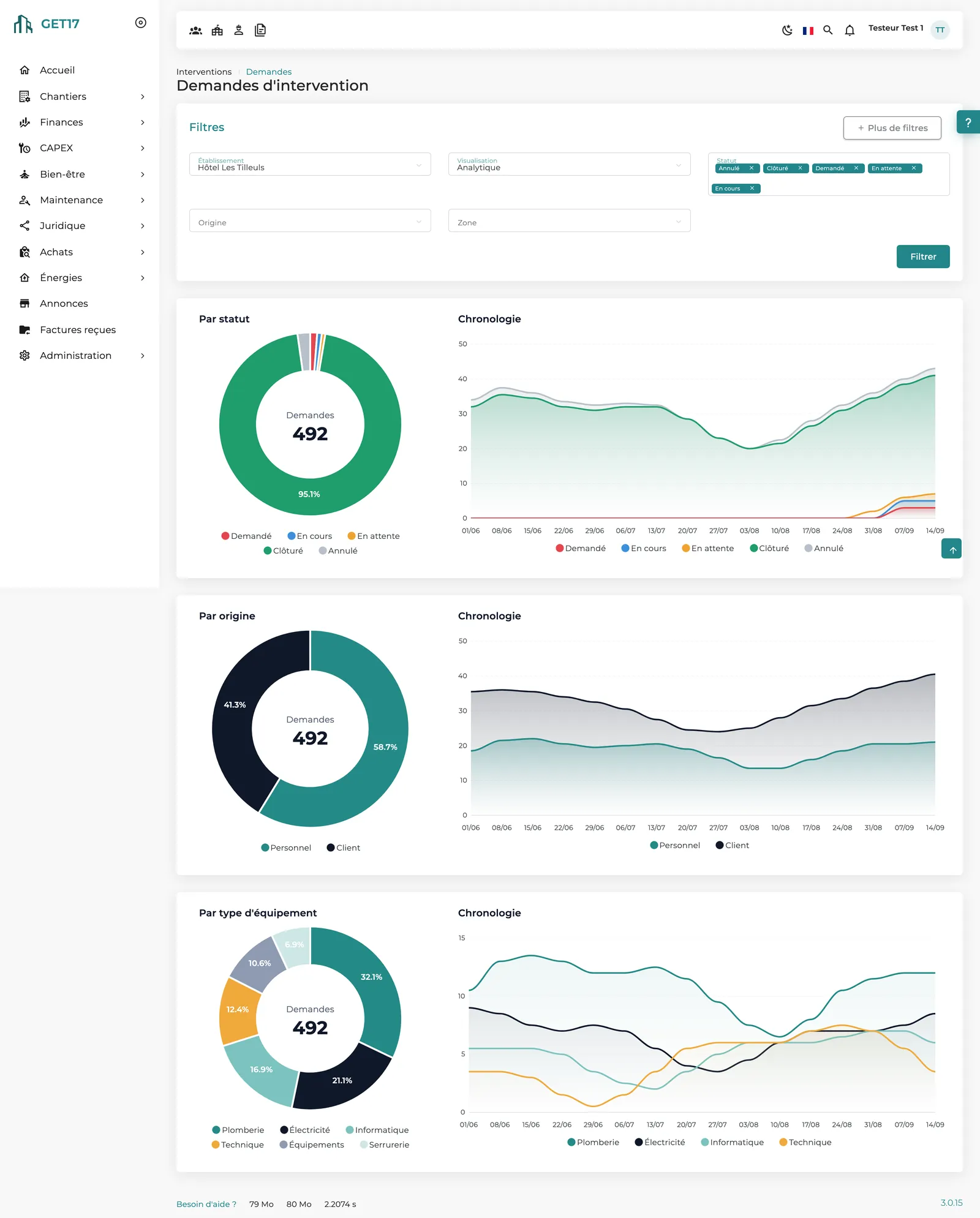
The analytics view shows work orders by status, origin and equipment type. Statistics by area reveal one room where plumbing issues keep coming back.
You create the request to replace the heat pump: two quotes, three photos, no works in July and August. Submitted to the operations director, it follows its workflow and you are notified at each step.
The technical director has distributed this week's audit: the PDF report is in your inbox. You launch action on the priority recommendations.
You enter the electricity and water meter readings. This month's consumption joins the property's tracking, with no spreadsheet to send to head office.
Your dashboard
Requests by status, origin and equipment type, with their timeline: your property's technical activity at a glance.
Frequently asked questions
No, unless your role allows it. Your assignment gives you a focused view of your property, with the rights that come with your position.
From the iOS and Android mobile app or from the website: an illustrated quick action, area, sub-area, photo, and the request goes to the technical team.
Yes. Its status and comment history stay visible on the request, and everyone involved is notified at each step.
When it is distributed, the report is emailed to the person distributing it, the property's general manager, the operations director and audit followers.
See how GET17 brings works, compliance and maintenance for your property together in a single platform.